6 Best AI Video Upscalers to Enhance Video Quality in 2026
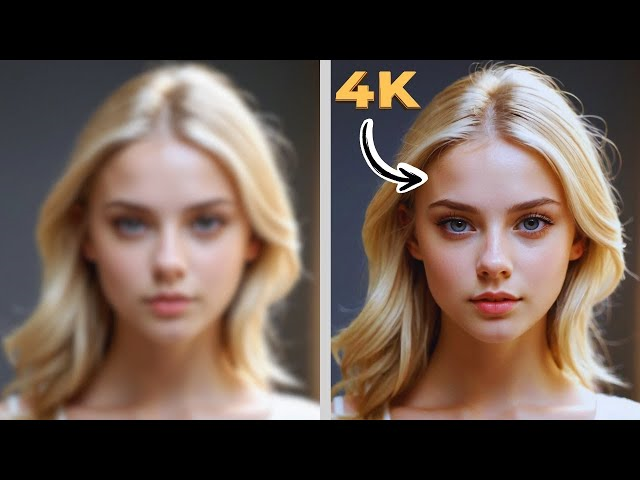
In 2026, video quality isn’t optional. People watch content on 4K TVs, high-refresh monitors, and phones that reveal every compression artifact. If your footage looks soft, noisy, or dated, an AI video upscaler can help you recover detail, smooth noise, and improve clarity frame-by-frame—often with far better results than old-school sharpening.
Below are six tools worth considering this year, plus a practical checklist for choosing the right AI video enhancer for your workflow.
Why AI Video Upscaling Matters More in 2026
Traditional upscaling stretches pixels. AI enhancement rebuilds detail by learning patterns across frames—especially helpful for:
- Old SD/HD clips that need modern clarity
- Noisy low-light footage (events, phone videos)
- Animation/anime where lines should stay clean
- Compressed social clips that lost texture and sharpness
The best results usually come from combining upscaling + denoising + deblurring (when needed), instead of pushing one setting too hard.
The 6 Best AI Video Upscalers for 2026
1) HitPaw VikPea (HitPaw Video Enhancer) — Best for beginners + fast results
If you want a simple workflow (import → choose model → export), HitPaw VikPea is built for that. It’s commonly positioned around AI-based upscaling and cleanup features like denoise and stabilization, with a beginner-friendly interface.
Best for: quick enhancement, creators who don’t want complex settings
Why it stands out: easy model selection, clean workflow, good for general clips
2) Topaz Video AI — Best for advanced control and pro workflows
Topaz is known for a more “tweakable” approach, with AI used for enhancement and upscaling workflows. If you like experimenting with settings and prefer pro-style control, it’s usually the first name people consider.
Best for: editors, pros, users with stronger hardware
Watch-outs: heavier system requirements, takes time to dial in perfect settings
3) AVCLabs Video Enhancer AI — Best for AI-driven enhancement options
AVCLabs markets AI-based video enhancement focused on quality improvement and upscaling. It’s a solid option if you want a “guided” AI enhancement workflow and don’t mind running a desktop tool.
Best for: people who want AI enhancement without overly complex editing suites
Watch-outs: results vary by footage type (noise level, compression, motion blur)
4) DVDFab / UniFab Video Enhancer AI — Best for all-in-one “video toolbox” users
DVDFab’s ecosystem (and its newer UniFab positioning) emphasizes AI enhancement features like upscaling and additional video processing utilities.
Best for: users who want enhancement + a broader video utility suite
Watch-outs: some tools are positioned as part of a larger product family, so choose carefully
5) VEED (Online Enhancer/Upscaler tools) — Best for quick web-based improvements
If you want browser-based improvement without installing software, VEED offers online enhancement tools aimed at fast content workflows.
Best for: social clips, quick turnaround teams, lightweight edits
Watch-outs: online tools may be less effective for heavy restoration (old/noisy footage)
6) Waifu2x — Best for anime-style footage and line-art cleanup
Waifu2x is widely used in the anime community for upscaling and noise reduction, especially where preserving clean edges matters.
Best for: animation/anime upscaling
Watch-outs: not designed for realistic face recovery the way modern commercial tools are
How to Choose the Right AI Video Enhancer (Simple Checklist)
Before you subscribe or buy, decide what you actually need:
1) Your footage type
- Talking head / faces → choose tools with face-aware cleanup
- Low-light / grainy → prioritize denoise + detail recovery
- Animation → line preservation matters more than “texture rebuilding”
2) Output goal
- Social media: 1080p is usually enough
- YouTube + courses: 1440p/4K can boost perceived quality
- Archival: aim for natural restoration (avoid plastic skin or over-sharpening)
3) Workflow
- Want speed and simplicity → beginner-friendly desktop tools
- Want maximum control → pro tools with more tuning
- Want “no install” → web tools
Practical Tips for Better Results (No matter which tool you pick)
- Denoise first when needed. Upscaling noisy footage can “upscale the noise.”
- Avoid extreme sharpening. It creates halos and makes faces look unnatural.
- Test short clips. Export 10–20 seconds with different models before committing.
- Don’t chase “fake detail.” The best enhancement looks believable, not crunchy.
Final Take
The best choice depends on your footage and your patience for settings. If you want a straightforward workflow, HitPaw VikPea is often chosen for simplicity. If you want maximum tuning and pro-level control, Topaz is the typical pick. For web-first teams, VEED is convenient. And for anime-style projects, Waifu2x remains a favorite.







