Understanding AutoCAD License Key Types
AutoCAD is a leading software in the world of computer-aided design. It’s used by professionals across various fields, including architecture, engineering, and design.
To use AutoCAD, you need a license key. This key not only legalizes your use of the software but also gives you access to updates and support.
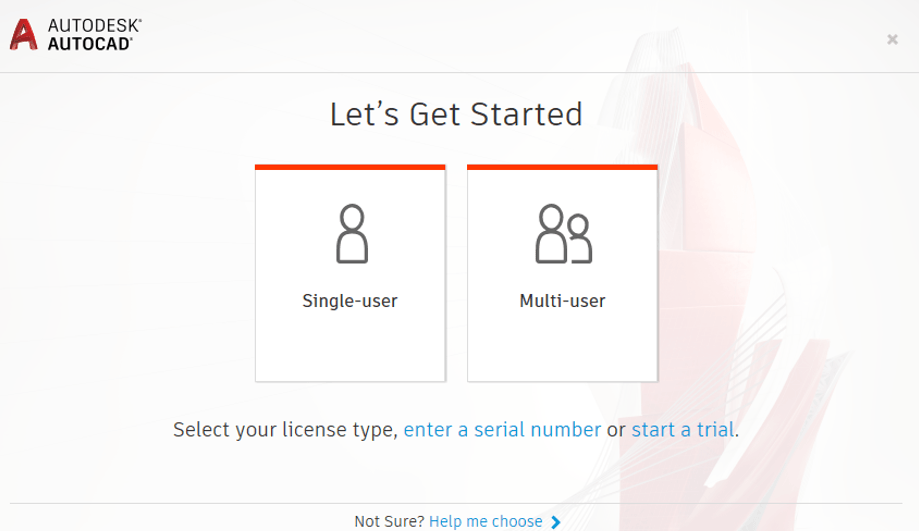
There are different types of AutoCAD license keys. These include standalone, network, and educational licenses. Each type caters to different user needs and situations.
But how do you activate AutoCAD with an activation code? And what are the risks of using a cracked version of AutoCAD?
This article will answer these questions and more. It aims to provide a comprehensive understanding of AutoCAD license keys, their importance, and how to manage them effectively.
Whether you’re a professional, a student, or an IT administrator, this guide will be a valuable resource for you.
The Importance of a Legitimate AutoCAD License Key
A legitimate AutoCAD license key is crucial for many reasons. First and foremost, it ensures legal compliance and prevents potential legal issues.
Having a genuine license key means access to Autodesk’s updates and customer support. Regular updates improve performance and introduce new features.
A legal license key also protects you from security threats. Cracked software versions often harbor malware, putting your data at risk.
Moreover, using a real license key supports the developers. This contribution helps in continuous software development and innovation, which benefits all users.
Types of AutoCAD License Keys
AutoCAD offers various license types to meet different user needs. Understanding these can help you choose the right one for your situation.
Standalone Licenses: These are ideal for individual users. They tie the license to a specific user or device.
Network Licenses: Perfect for organizations needing multiple users. These licenses allow sharing over a network, optimizing resources.
Educational Licenses: Available for students and educators, often at reduced or no cost. They support learning and academic projects.
Choosing the correct license type depends on your usage environment. Small businesses might prefer standalone licenses for simplicity.
Larger organizations benefit from network licenses. They offer flexibility and cost efficiency.
Educational licenses are invaluable for learning environments. They offer access to full features without the cost burden.
The list of license types includes:
- Standalone Licenses
- Network Licenses
- Educational Licenses
Selecting the right license ensures you maximize productivity while adhering to legal standards.
Standalone Licenses
Standalone licenses are tailored for individual users. They tie directly to a single computer or user, ensuring exclusive access.
This license is straightforward to manage. It avoids the complexity of network setups or shared access controls.
They offer reliable access to AutoCAD tools. This is essential when consistent access is critical, such as in smaller projects.
Standalone licenses require activation on the designated device. This setup makes it ideal for freelance designers or independent architects.
Network Licenses
Network licenses cater to businesses with many users. They provide access to AutoCAD across multiple devices on a network.
These licenses increase flexibility. They allow different users at an organization to share access based on need.
Each network license serves several users. This setup reduces costs by not requiring individual licenses for every user.
These licenses are managed via a license server. They allow businesses to effectively manage and control access to AutoCAD software.
Educational Licenses
Educational licenses make AutoCAD accessible to academic users. They often come at free or reduced rates for students and teachers.
These licenses support those in learning environments. They provide full features, aiding in educational projects and skill development.
Institutions benefit from these licenses. They can equip multiple users without the financial strain of regular licenses.
Eligibility usually requires proof of academic status. This ensures only students and educators take advantage of these educational opportunities.
Activating AutoCAD with an Activation Code
Activating AutoCAD involves using a specific activation code. This code is unique to your software copy and ensures legitimate use.
During installation, the software will prompt you to input your activation code. This step is critical to unlock all features.
Having your activation code ready speeds up the process. It also avoids unnecessary interruptions during installation.
Without activation, your AutoCAD software may operate on a trial basis. This could limit access and disrupt your work.
Ensuring proper activation grants you full software capabilities. It also provides access to updates and support from Autodesk.
Where to Find Your AutoCAD Activation Code
Your activation code usually arrives with your software purchase. It’s often included in your purchase confirmation email.
Alternatively, check your Autodesk Account online. Your activation details are listed in the ‘Management’ section.
If you can’t find your code, contact Autodesk support. They can help retrieve or resend your activation information.
Troubleshooting Activation Issues
Activation issues can arise from incorrect code entry. Double-check your code for any errors during input.
Network problems may prevent communication with Autodesk’s servers. Ensure your internet connection is stable.
If problems persist, consult Autodesk’s troubleshooting guide. This resource provides solutions for common activation issues.
The Risks of AutoCAD Crack Downloads
Using cracked versions of AutoCAD might seem cost-effective at first glance. However, these downloads come with severe risks and consequences.
Firstly, many crack downloads are sources of malware and viruses. Installing them could compromise your system’s security severely.
Additionally, cracked software lacks official support. This absence means you won’t receive updates or critical bug fixes.
Moreover, relying on illegal downloads tarnishes your professional integrity. It may result in reputational damage or lost opportunities.
Ultimately, the potential costs of using cracked software outweigh any immediate savings. Security and legality should never be compromised.
Legal and Security Implications
Using cracked software is illegal and violates Autodesk’s terms of use. Companies that enforce intellectual property laws may pursue legal action.
On the security front, cracked downloads can introduce harmful malware. These threats risk exposing your data to cybercriminals.
Furthermore, infected systems could suffer significant damage or data loss. Recovery from such attacks often incurs high costs.
Adhering to legal software use promotes ethical practices. It ensures your work environment remains secure and reputable.
Purchasing and Managing Your AutoCAD License
To legally purchase AutoCAD, it’s best to go directly to Autodesk or an authorized reseller. Choosing authorized channels ensures you receive a genuine license key and access to support.
After purchase, manage your licenses through your Autodesk Account. This portal allows you to track subscriptions and access updates. It is crucial for staying organized and compliant.
Additionally, keeping your license information updated prevents disruptions in your software use. It’s essential to renew your subscriptions promptly to avoid unexpected issues.
Finally, leveraging your Autodesk Account can enhance your experience. You’ll be able to explore additional resources and tools within the portal.
Authorized Resellers and Autodesk Account
Buying from an authorized reseller guarantees authenticity. It protects you from counterfeit software and supports customer service.
With your Autodesk Account, you can manage all your licenses conveniently. This central hub is vital for monitoring usage and handling subscriptions.
Always verify resellers’ authenticity before making a purchase. Doing so ensures a secure transaction and peace of mind.
License Transfers and Upgrades
Transferring an AutoCAD license is straightforward with Autodesk’s tools. This feature is helpful if you switch devices.
Furthermore, upgrading a license allows access to the latest features. Regular upgrades keep your software current and competitive.
Following Autodesk’s clear guidelines, you can transfer and upgrade licenses easily. This process ensures continuous use and enhanced performance.
Conclusion: Ensuring Compliance and Maximizing Value
Understanding the various types of AutoCAD license keys is crucial for making informed decisions. Proper licensing not only keeps you compliant but also maximizes the value of your investment.
Avoid the risks associated with unauthorized downloads. Instead, choose legitimate options to ensure software reliability and support.
By managing your license through the Autodesk Account, you’ll maintain efficient access and updates, enhancing your overall AutoCAD experience.







