12 Employee Tracking Tools for Distributed Teams
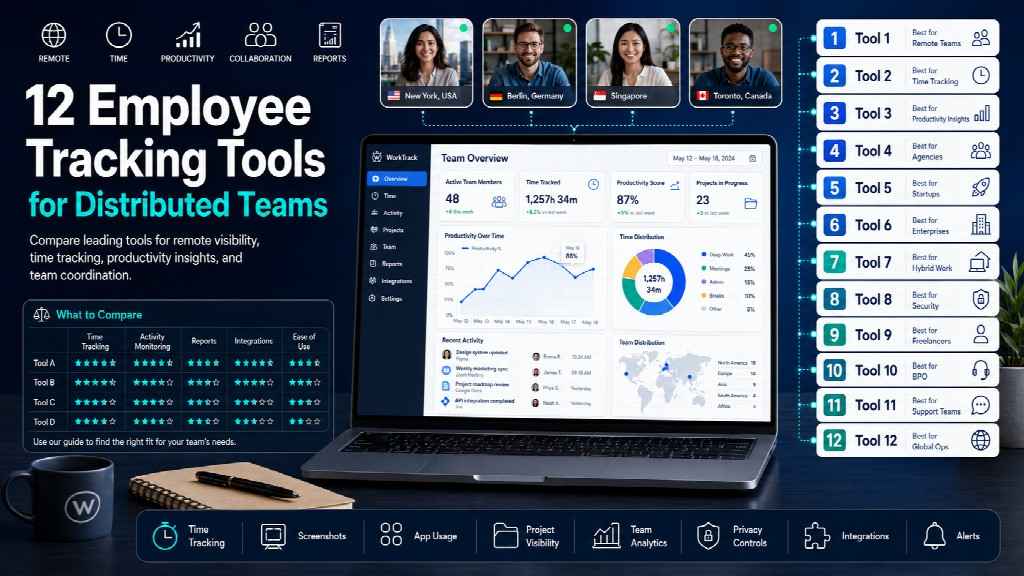
Distributed teams break tracking tools in ways co-located teams never do: time zones scramble the working day, contractors and employees need different treatment, and a tool that is lawful in Texas may be unlawful for the same company’s staff in Berlin. This guide compares 12 tools against those constraints rather than against feature lists.
The first decision is architectural, not commercial. Agent-based employee tracking software installs on the endpoint and captures activity, applications, and screenshots directly; agentless tools read signals from cloud platforms like Google Workspace and Microsoft 365 without touching the device. For a team of full-time employees on company laptops, either works. For contractors using their own machines across four jurisdictions, that choice determines whether the deployment is defensible at all.
Comparison table
| # | Tool | Type | From /user/mo | Agent required | GPS | Offline capture | Best for |
| 1 | Monitask | Proof of work | $6.49 | Yes | Business Premium | Yes | Contractor billing across borders |
| 2 | Hubstaff | Proof of work | $4.99 | Yes | Yes | Yes | Field and mobile teams |
| 3 | Time Doctor | Proof of work | $6.70 | Yes | Limited | Yes | BPO and outsourced operations |
| 4 | DeskTime | Proof of work | $6.42 | Yes | No | Partial | Automatic project attribution |
| 5 | WebWork | Proof of work | $3.99 | Yes | Yes | Yes | Budget-conscious distributed teams |
| 6 | Apploye | Proof of work | ~$4 | Yes | Yes | Yes | Small remote teams |
| 7 | ActivTrak | Analytics | $10 | Yes | No | Yes | Hybrid capacity planning |
| 8 | Insightful | Analytics | ~$6.40 | Yes | Location insights | Yes | Remote vs office comparison |
| 9 | Prodoscore | Analytics | $19.99 | No | No | No | Teams on personal devices |
| 10 | Connecteam | Workforce mgmt | $29/mo flat | Mobile app | Yes, geofencing | Yes | Deskless and shift teams |
| 11 | Clockify | Time tracking | $3.99 | Optional | On clock-in | Manual | Simple cross-border logging |
| 12 | Toggl Track | Time tracking | ~$9 | Optional | No | Manual | Teams that reject monitoring |
What actually breaks in distributed teams
Four problems appear only when the team is spread out, and none of them show up in a standard feature comparison.
The working day stops being a fixed window. Tools that compute a “workday” from server time or a single account-level timezone will report a Manila-based developer as working through the night. Check whether timezone is set per user or per account before you buy — this single setting causes more reporting confusion than any other.
Contractors and employees need different configurations. An employee on a company laptop can reasonably be monitored during working hours. A contractor on their own machine, billing by the hour, needs proof-of-work for invoicing and nothing else. Running one configuration across both groups either over-monitors the contractors or under-serves the billing requirement.
Connectivity is unreliable. Offline capture matters more than any dashboard feature when part of the team works from places where the connection drops. Tools without local buffering lose hours, and lost hours mean disputed invoices.
One legal position does not cover the team. A company with staff in the US, Poland, and the Philippines faces three different disclosure regimes simultaneously. The tool cannot solve this, but a tool with per-group configuration lets you comply in each place instead of applying the strictest rule everywhere.
Proof-of-work tools
These produce defensible records of time worked. For distributed teams billing clients or paying contractors, this is the default category.
1. Monitask
Best for: agencies and companies paying contractors across borders.
Tracks time, activity levels, applications, and websites, capturing only be tween clock-in and clock-out. Activity levels come from whether keyboard and mouse input occurred within each ten-minute window; keystroke content is not recorded, and passwords and documents do not reach the servers. The session-based model matters for distributed teams specifically — a contractor’s machine is not monitored outside the hours they are billing.
Pricing: $6.49 Pro, $8.99 Business, $12.99 Business Premium, $15.99 Enterprise per user monthly on annual billing, 18% below monthly rates. Screenshot frequency is an add-on: 30 per hour included, then $2.40, $4.80, or $7.20 per license for 60, 90, or 120.
Distributed-team notes: Windows, macOS, Linux, Android, iOS, and Chromebook coverage handles mixed hardware. GDPR compliant with an EU representative, 256-bit AES encryption. Location tracking sits on Business Premium rather than entry tiers, which lets you avoid collecting it for teams where it would be problematic. Retention is one month on Pro and two on Business.
Watch out for: short retention on lower tiers; project management is lighter than dedicated tools.
2. Hubstaff
Best for: field teams and anyone needing GPS alongside hours.
From $4.99 per user with a two-seat minimum. Strongest geofencing and project profitability tooling in this group, plus payroll integrations that handle multi-currency payouts.
Watch out for: add-ons for Insights, Screenshots, Tasks, and Locations can add roughly $15 per person, so the entry price is misleading. A Silent add-on hides the app, which is a liability in disclosure-mandated jurisdictions.
3. Time Doctor
Best for: BPO and outsourced operations.
From $6.70 per user. Screenshots are randomised and blurrable. Payroll and attendance automation is mature, and the tool handles multi-currency and multi-region teams well.
Watch out for: AI insights and advanced reporting sit behind premium tiers.
4. DeskTime
Best for: automatic project attribution without manual logging.
From $6.42 per user on annual billing. Time attaches to a project when the employee selects it and starts the timer; per-project hourly rates make cross-border client billing straightforward.
Watch out for: limited offline capture, which is a real constraint for teams with unreliable connectivity.
5. WebWork Time Tracker
Best for: distributed teams on tight budgets.
From $3.99 per user. Automatic categorisation of applications into productivity labels, plus unusual-activity flagging.
Watch out for: smaller vendor, thinner enterprise support for large multi-region deployments.
6. Apploye
Best for: small remote teams needing proof of work and nothing else.
Around $4 per user for screenshots, activity levels, and project time. Analytics are basic, which is appropriate when the requirement is evidence rather than insight.
Analytics platforms
These answer questions about the team rather than the individual — useful when the problem is capacity, not accountability.
7. ActivTrak
Best for: comparing hybrid and remote productivity patterns.
From $10 per user on annual billing, with a free plan. Positions itself as workforce analytics rather than monitoring; tracks application and URL usage and productive versus unproductive time through dashboards.
Watch out for: no screen recording, keylogging, or DLP — security requirements need a separate tool. Screenshots are an add-on.
8. Insightful
Best for: organisations comparing remote against in-office output.
From roughly $6.40 per seat. Location-based reporting distinguishes home from office work without capturing screen content, which suits hybrid teams making return-to-office decisions.
Watch out for: cloud-only; a stealth mode exists that sits awkwardly against the privacy positioning.
9. Prodoscore
Best for: distributed teams where installing an agent is not viable.
From $19.99 per user. The distinguishing feature is architectural: it reads activity signals from Google Workspace, Microsoft 365, Salesforce, Slack, and Zoom without installing anything on employee devices.
For contractors on personal hardware, or jurisdictions where endpoint agents raise consent problems, this removes the hardest obstacle in the category. There is no screen monitoring at all.
Watch out for: highest entry price here; only sees activity inside connected cloud tools, so work done in local applications is invisible.
Workforce management and time tracking
10. Connecteam
Best for: deskless, shift-based, and field teams.
From $29 per month flat rather than per user, which is unusual and favourable for larger frontline teams. GPS breadcrumbs and geofencing handle clock-in verification at job sites; scheduling, forms, and chat sit alongside.
Watch out for: shallow desktop monitoring — this is an operations platform, not a computer-activity tool.
11. Clockify
Best for: simple cross-border time logging.
From $3.99 per seat, with a genuinely usable free tier covering unlimited users. Timesheet approvals, project tagging, optional screenshots.
Watch out for: monitoring depth is minimal by design.
12. Toggl Track
Best for: teams that will not accept monitoring.
Around $9 per user. A timer with project tagging and reporting, no activity capture, no screenshots. Sometimes the correct answer for distributed knowledge teams where trust is the operating model and billing accuracy is the only requirement.
Watch out for: provides no proof of work, so it fails where clients dispute invoices.
Agent or agentless: the decision most guides skip
Every tool in this list except Prodoscore requires software installed on the endpoint. That distinction drives three consequences.
Consent scope. Installing an agent on an employee-owned device requires explicit written consent in most jurisdictions and should be limited to work applications. Agentless tools read organisational cloud data instead, sidestepping the device entirely.
Visibility depth. Agents see local applications, offline time, and screen content. Agentless tools see only activity within connected platforms. A developer working in a local IDE is invisible to Prodoscore and fully visible to Monitask.
Deployment friction. Agents need installation, updates, and support across Windows, macOS, Linux, and sometimes Chromebook. For a 200-person distributed team, this is real IT overhead.
The practical split: agentless for contractors, personal devices, and consent-sensitive jurisdictions; agent-based for company hardware where proof of work is contractually required.
Time zones and how hours get counted
Three settings determine whether reports are usable across zones.
Per-user timezone. Confirm timezone is a user attribute, not an account setting. Without it, every report needs mental arithmetic and overtime calculations go wrong.
Definition of a working day. Some tools compute daily totals against a calendar day in the account timezone, splitting an evening shift in Manila across two reporting days. Ask specifically how the boundary is drawn.
Overtime rules by location. EU working-time rules, US state overtime law, and Philippine labour standards differ. Tools that apply one overtime threshold globally produce compliant-looking reports that are wrong in at least one jurisdiction.
Contractors and employees need different setups
Treating both groups identically is the most common configuration error in distributed teams.
| Employees | Contractors | |
| Purpose | Capacity, workload, compliance | Invoice verification |
| Appropriate layers | Time, apps, aggregate activity | Time, activity levels, screenshots if agreed |
| Device | Company-owned | Usually personal |
| Consent basis | Employment contract plus policy | Contract clause, explicitly agreed |
| Off-hours capture | Should be off | Must be off |
Contractors control their own equipment and are engaged for deliverables, so anything beyond proof of billed hours is both unnecessary and legally risky. Tools with per-group configuration — different settings for different teams — handle this cleanly. Tools with a single global configuration force you to choose which group to get wrong.
Compliance across borders
A distributed team means several regimes at once.
EU and UK. GDPR requires a lawful basis under Article 6 and a Data Protection Impact Assessment for systematic monitoring. Works councils in Germany and elsewhere may need to approve deployment before it starts.
US. The ECPA permits monitoring on company devices; Connecticut, Delaware, New York, and Texas impose notification requirements, with more states expected to follow.
Canada. Ontario requires employers with 25 or more employees to maintain a written electronic monitoring policy.
Asia-Pacific. Requirements vary widely; several jurisdictions treat biometric and location data as sensitive categories with separate consent rules.
The workable approach is a single global policy set to the strictest standard your team is subject to, with tool configuration adjusted per region where the tool supports it. Confirm specifics with counsel in each jurisdiction where you employ people.
How to choose
Billing clients or contractors by the hour? Proof of work. Compare Monitask, Hubstaff, and Time Doctor on retention, add-on cost, and offline capture.
Can’t install software on employee devices? Prodoscore is the only agentless option here.
Managing shift or field workers? Connecteam, or Hubstaff if desktop activity also matters.
Diagnosing capacity rather than verifying hours? ActivTrak or Insightful, and disable screenshots.
Team will not accept monitoring? Toggl Track or Clockify. A tool nobody uses honestly produces worse data than no tool.
Frequently asked questions
What is the best employee tracking software for remote teams?
It depends on the requirement. Proof-of-work tools like Monitask, Hubstaff, and Time Doctor suit hourly billing and contractor verification. Analytics platforms like ActivTrak and Insightful suit capacity planning. Prodoscore suits teams where installing an agent is not possible.
Can I track contractors the same way as employees?
You should not. Contractors typically work on their own devices and are engaged for deliverables, so monitoring should be limited to verifying billed hours, agreed in the contract. Employee monitoring can be broader but still requires disclosure.
How do tracking tools handle multiple time zones?
Well-designed tools set timezone per user rather than per account and let you define when a working day starts. Check both before purchase — tools that compute against a single account timezone produce misleading reports for anyone outside it.
Do employee tracking tools work offline?
Most agent-based tools buffer data locally and sync when connectivity returns. This matters for distributed teams with unreliable connections, since tools without local buffering simply lose those hours. Confirm the behaviour rather than assuming it.
Is it legal to track employees in other countries?
Legal in most jurisdictions with appropriate disclosure, but requirements differ significantly. GDPR requires a lawful basis and impact assessment; several US states and Canadian provinces require notification or written policy. A single global policy set to the strictest applicable standard is the usual approach.
Do I need GPS tracking for a remote team?
Rarely. GPS suits field and delivery work where location verifies service delivery. For desk-based remote teams it collects sensitive data with little operational value, and it is one of the layers employees resist most strongly.
What is agentless tracking?
Agentless tools read activity signals from cloud platforms such as Google Workspace, Microsoft 365, and Salesforce rather than installing software on the device. They avoid endpoint consent problems entirely but cannot see work done in local applications.
How much should tracking software cost for a distributed team?
Proof-of-work tools run $4–11 per user monthly, analytics platforms $6–20, and workforce management platforms sometimes charge flat rates. Calculate at your real configuration — add-ons and seat minimums frequently push the total well above entry pricing.