How AI Turns Language Flashcards Into Pictures Learners Actually Remember
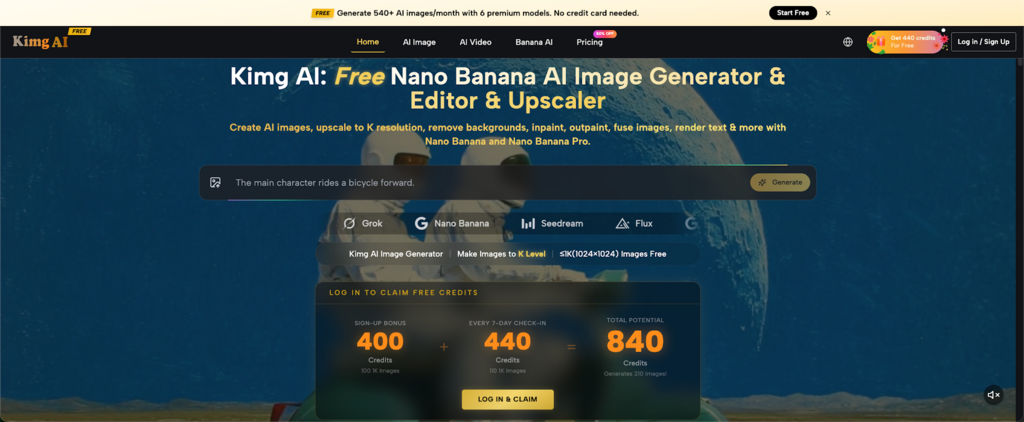
A flat word list rarely survives past the next exam, but a strange, vivid picture next to a new word tends to stick for years. Kimg AI gives language learners and teachers a fast way to turn dry vocabulary into flashcard art, using the Nano Banana AI image model built into the platform to generate a custom visual for almost any word in seconds. Instead of hunting for stock photos that never quite match the meaning you’re trying to teach, you describe the word and let the model build the picture around it.
I. What Kimg AI’s Image Generator Does For Your Cards
A flashcard only works if the image on it actually helps you recall the word, not just decorate the page. Kimg AI focuses on exactly that job: turning a short text prompt or a reference photo into a clear, purpose-built image without requiring any design skill from the user.
- Prompt-to-image in seconds Type the word and a short description, such as “a red umbrella in the rain” for the Mandarin word 雨伞, and the generator produces a usable image almost instantly, ready to drop straight into a deck.
- Photo-to-flashcard conversion Upload an existing photo of an object, food, or place, and the AI can restyle it into a cleaner, flashcard-ready version using the Nano Banana model, which keeps the subject recognizable while simplifying the background.
- Multiple outputs to pick from Generate a few variations of the same prompt and keep the one that captures the word’s meaning most clearly, since one wording of a prompt can produce noticeably different results.
II. Matching Visual Style To How You Learn
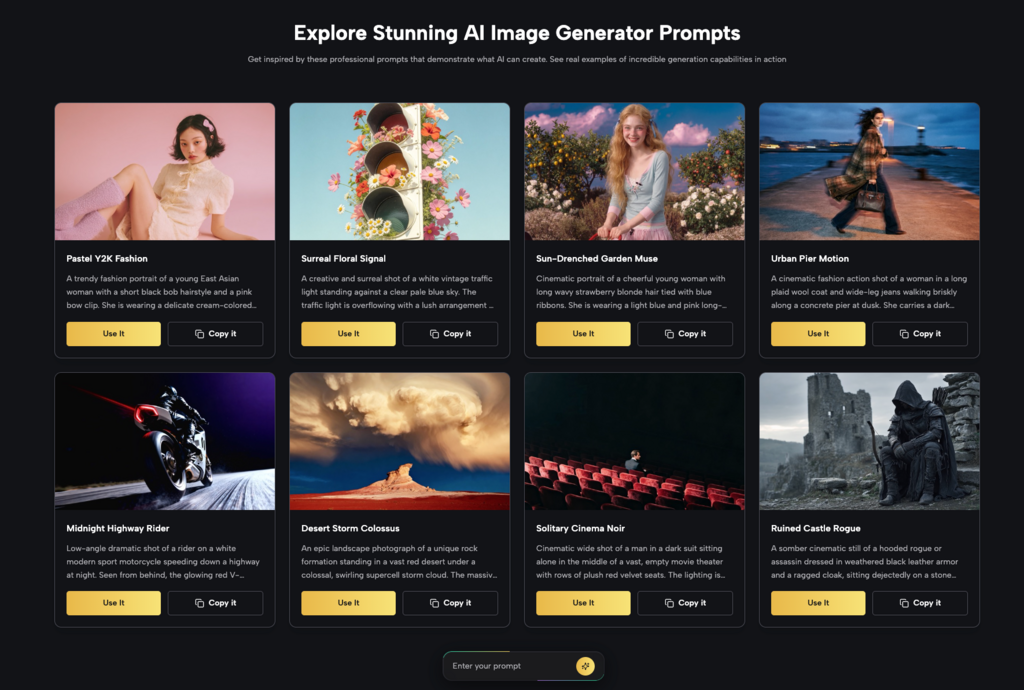
Different learners remember differently, so the same word can be illustrated in more than one way depending on what actually sticks in your memory. Choosing style deliberately, rather than accepting the first result, makes a real difference over a full semester of study.
- Photorealistic for concrete nouns Objects, food, animals, and everyday items are easier to recall when the image looks close to real life, since your brain already stores a mental picture of what those things look like.
- Illustrated or anime style for abstract words Emotions, idioms, or abstract concepts often stick better as a whimsical drawing than a literal photo, because there is no “correct” real-world image to compare it against anyway.
- Consistent art style across a deck Keeping one visual style for an entire vocabulary set, such as all “food” words rendered in the same warm, illustrated look, helps your brain group and retrieve related words faster during a quiz.
III. Getting Started Without Spending Anything
Building a full flashcard deck means generating dozens, sometimes hundreds, of images, so cost matters before quality decisions even come into play. Kimg AI structures its free access around this exact need.
- A welcome credit bonus New accounts receive a sign-up bonus of 400 credits, enough to generate well over two hundred flashcard images at standard resolution before spending anything at all.
- Rewards for showing up daily Checking in for seven consecutive days adds another 440 credits, which suits learners building a deck gradually, one word or one topic at a time, over the course of a week.
- Resolution tiers worth knowing Images generate at 1K resolution for free, while sharper 2K and 4K outputs are reserved for members, which matters mainly if you plan to print physical cards rather than review them on a phone screen.
IV. Testing Different Models For Different Words
Not every vocabulary word needs the same generation approach, and Kimg AI’s advantage is letting you compare models on a single site instead of juggling several separate tools and accounts.
- Seedream for quick drafts When you’re rushing through a long word list, Seedream’s speed helps you rough out images quickly before going back to refine the best candidates.
- Flux for adding text inside the image Some learners like the target word or its translation rendered directly inside the picture; Flux handles in-image text with reasonable accuracy compared to other models on the site.
- GPT Image 2 and Grok Imagine as alternatives If a particular word isn’t rendering the way you pictured it, switching to another model on the same interface is faster than starting over on a different site with a new prompt.
V. Keeping One Character Across An Entire Deck
A recurring character or mascot moving through your flashcards gives your brain a familiar anchor point, which makes brand-new words easier to attach to memory rather than float on their own.
- Reference image support Upload a character or object once, then reuse it across multiple prompts so the same figure appears consistently in new scenes and situations.
- Useful for verb and action cards The same character shown running, eating, or sleeping across different cards helps teach action verbs with a visual thread tying the whole set together.
- Good for story-based vocabulary sets Grouping words into a small narrative told through a consistent character taps into memory in a way that isolated, unrelated words simply don’t.
VI. Giving A Card A Second Life As A Short Clip
Static images cover most flashcard needs, but a handful of words, especially verbs of motion or sound, benefit from a little movement to fully capture their meaning.
- Animating a single flashcard A generated image can be turned into a short video clip, which works well for words describing action or sound that a still picture struggles to convey.
- Synchronized audio for pronunciation cues Where sound matters, such as with onomatopoeia, adding audio to the animated card reinforces the word from two senses instead of one.
- Best used sparingly Video works well for a handful of genuinely tricky words, not the entire deck, since static images remain faster to flip through during a quick review session.
Make Your Next Study Session Visual
A vocabulary list is easy to forget, but a picture your brain built a story around rarely fades the same way. Open Kimg AI, pick a word you keep forgetting, generate one image for it today, and notice how much longer that word stays with you compared to the ones you only ever wrote down. Building a deck this way takes minutes per card, not hours, so there’s little reason to keep studying vocabulary the flat, forgettable way.