Smartwatch Battery Life: What Affects It Most?
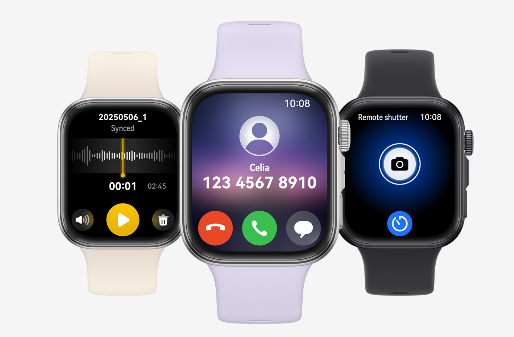
Smartwatch users often ask the same question: how long will the battery last? Some models last a few days, while others need charging every night. Battery life varies widely across brands and use cases. Understanding what drains or extends a smartwatch battery can help users get the most from their device. Several factors influence battery performance. These include screen brightness, features in use, connection settings, and how often the watch checks for updates or syncs with your phone. With a few smart adjustments, users can improve battery life without losing essential functions.

Key Factors That Influence Smartwatch Battery Life
Battery life depends on both hardware and user habits. Manufacturers build in certain limits, but how someone uses the watch often matters more.
Display settings and screen usage
The screen is the biggest battery consumer on any smartwatch, as well as on the huawei Watch Fit 4. Brightness level, screen type, and how often the display turns on all make a difference. Watches with always-on displays use more power, especially if paired with high refresh rates or bright themes. OLED and AMOLED screens save more energy than LCDs by turning off individual pixels when displaying black. However, high color use or frequent wake-ups still drain the battery quickly. Users who raise their wrist often or tap frequently to check notifications will notice faster battery drain. Reducing screen timeout and turning off always-on mode can significantly extend battery life.
Connectivity features
Bluetooth, Wi-Fi, GPS, and LTE each affect battery usage. Bluetooth connections are generally efficient, but syncing constantly with a phone still uses some power. Wi-Fi kicks in when Bluetooth isn’t available, often using more energy. GPS is a major battery drainer, especially during workouts or navigation. Tracking a run with GPS can reduce battery life by hours. LTE models that support calls and data directly use even more power when not paired with a phone. To save battery, users can disable Wi-Fi when not needed, limit GPS use to specific workouts, and switch to airplane mode in low-signal areas. Many watches also offer a low-power mode that disables background connections.

Health and app tracking
Smartwatches collect a lot of health data. Heart rate monitoring, sleep tracking, blood oxygen readings, and stress tracking all use sensors. When active all day, these features reduce battery life faster than most users expect. Continuous tracking is useful, but not always necessary. For example, switching heart rate updates from constant to periodic can reduce battery drain. Some users disable overnight monitoring if they’re not using sleep insights regularly. Installed apps also impact battery life. Third-party apps that refresh in the background or check location frequently use more power. Users can review which apps are running and choose to limit or remove those they rarely use.
Adjust settings based on usage
Not every feature needs to be on all the time. Adjust brightness manually rather than using auto mode, and choose a darker watch face. Disable unnecessary alerts or limit them to key apps. Some smartwatches allow custom profiles—like “workout,” “office,” or “sleep”—that toggle different settings. Switching between them reduces the need to adjust features manually every time.
Update software regularly
Firmware and app updates often include battery optimizations. Manufacturers fix bugs and adjust how features operate in the background. Keeping both the watch and companion phone app updated ensures the device runs efficiently. Users should check for updates regularly and apply them during charging. This prevents disruptions during the day and avoids battery spikes caused by outdated processes.
Conclusion
Smartwatch battery life depends on both the device’s hardware and how it’s used. Display settings, connectivity features, and health tracking all play a role. While some models last longer than others, every user can make choices that reduce power drain. By adjusting key settings, turning off non-essential features, and using power-saving tools, users extend battery life and enjoy more freedom from the charger. The result is a smoother, more reliable smartwatch experience that keeps up with your day.







