Can my ISP see what sites I visit with VPN? Safelyo explained
When you connect to Wi-Fi at a coffee shop or airport, you might ask yourself: Can my ISP see what sites I visit with VPN? Many users rely on VPNs to protect privacy, but the details of what is hidden and what remains visible can be confusing. This guide will walk you through:
- What ISPs can and cannot see when you use a VPN
- Situations where VPNs fail to hide sites
- How to test for leaks and fix them
- Protocols and obfuscation against ISP monitoring
- Practical privacy tips you can apply today
Let’s begin by understanding what your ISP still sees and what they cannot when you are connected to a VPN.
1. What ISPs can and cannot see
Even when you use a VPN, some technical details remain visible to your ISP. However, the actual browsing content such as websites, searches, or downloads is fully encrypted.
1.1. What ISPs still see
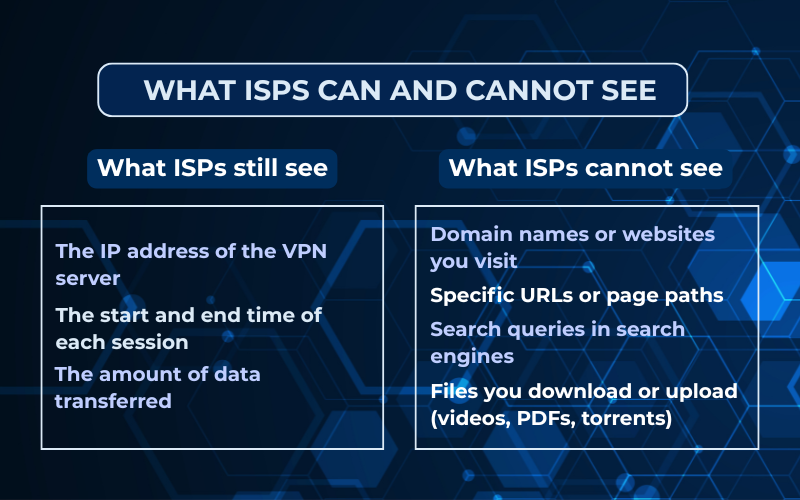
Your ISP can still observe a few pieces of connection metadata:
- The IP address of the VPN server you connect to.
- The start and end time of each VPN session.
- The amount of data transferred during your connection.
Safelyo’s analysis of real-world VPN tests shows that ISPs always recognize the initial handshake with the VPN provider, but once encryption begins, the contents of your traffic remain hidden.
1.2. What ISPs cannot see
When a VPN is configured correctly, your ISP cannot access:
- Domain names or websites you visit, such as news platforms or streaming services.
- Specific URLs or page paths within those websites.
- Search queries typed into search engines.
- Downloaded or uploaded files, including videos, PDFs, or torrents.
VPN encryption prevents ISPs from viewing your browsing content and protects privacy across both HTTPS and non-HTTPS websites.
2. Can my ISP see what sites I visit with VPN?
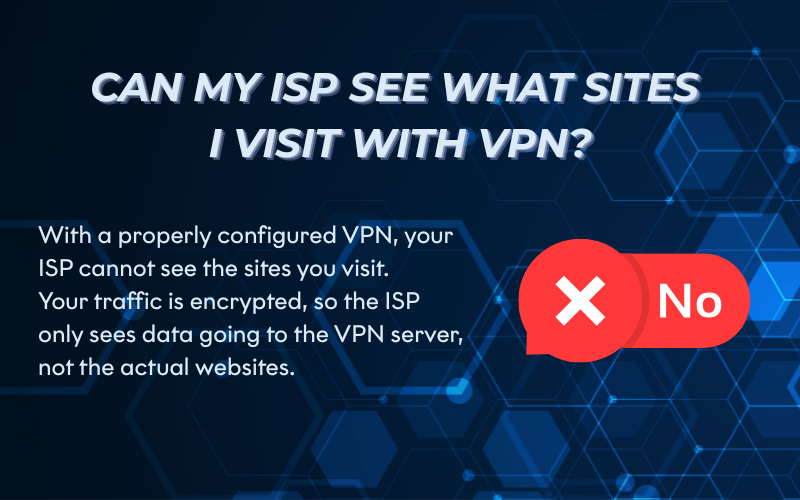
Can my ISP see what sites I visit with VPN? The short answer is no. When you use a properly configured VPN, your ISP cannot see the specific sites you visit. The VPN encrypts your traffic before it leaves your device, which means the ISP only sees encrypted data flowing to a VPN server rather than the websites you access.
However, there are exceptions when things are not set up correctly:
- If your VPN has a DNS leak, your ISP may still see which domains you resolve.
- If IPv6 traffic is not protected, some requests could bypass the VPN tunnel.
- If you use split tunneling incorrectly, certain apps may reveal your browsing activity outside the VPN.
Always test your VPN connection for leaks and enable features like a kill switch and DNS protection. This ensures your ISP cannot track the sites you visit.
3. When VPNs fail to hide sites
A VPN should hide your browsing activity from your ISP, but in certain cases it may fail. These failures usually happen because of leaks, app behavior, or misconfigurations. Understanding these scenarios helps you spot weaknesses before they expose your traffic.
3.1. DNS or IPv6 leaks
If your VPN does not route DNS or IPv6 requests through its tunnel, your ISP can still see the domains you visit. This problem often appears on older VPN apps or on networks that default to the ISP’s DNS servers.
3.2. WebRTC and app bypass
Some apps and browsers use WebRTC for real-time communication. If WebRTC requests bypass the VPN tunnel, your true IP address or domain requests may leak, even when the VPN is active.
3.3. Captive portals before VPN connects
On hotel or airport Wi-Fi, you often pass through a captive portal login page before the VPN can connect. During that short period, the ISP or network operator can see your device activity until the VPN tunnel is established.
To avoid these risks on hotel or airport networks, consider one of the best VPNs for public Wi-Fi.
3.4. Split tunneling misconfigurations
Split tunneling lets you choose which apps use the VPN and which connect directly. If configured poorly, sensitive apps like browsers may send traffic outside the VPN, revealing sites to your ISP.
4. How to check for leaks
Even with a VPN active, it’s important to confirm that no data slips past the encrypted tunnel. Leak testing ensures your ISP cannot view the sites you visit. Below are practical ways to test and verify your setup.
For a full walkthrough, see this step-by-step guide on how to check if my VPN is working.
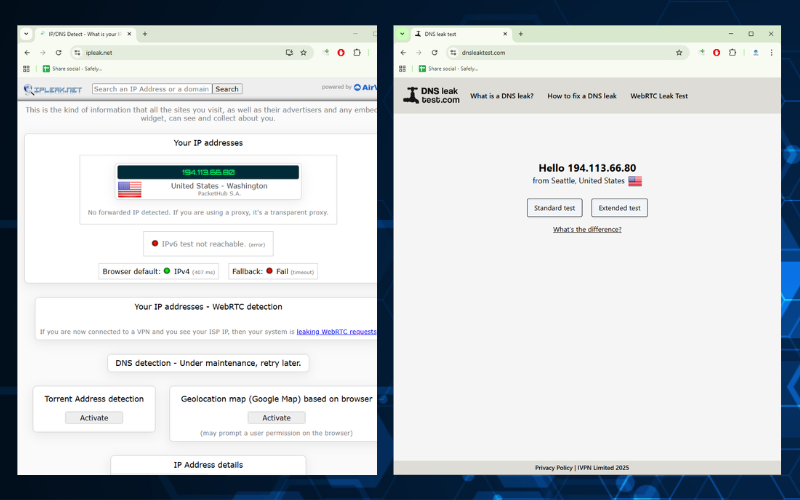
4.1. DNS and IPv6 test tools
Specialized websites let you see which DNS servers handle your requests and whether IPv6 traffic escapes.
- DNS test: Sites like dnsleaktest.com or ipleak.net reveal if queries are reaching your ISP instead of the VPN’s servers.
- IPv6 test: Use test-ipv6.com to confirm your VPN tunnels IPv6 traffic. If it shows your ISP address, the VPN is leaking.
4.2. WebRTC test
WebRTC leaks are easy to detect using browser tools.
- Open browserleaks.com/webrtc or ipleak.net with the VPN connected.
- If you see your real IP (from your ISP) instead of the VPN-assigned IP, then WebRTC is exposing you.
4.3. Expected traffic patterns
When connected to a VPN, all traffic should appear to originate from the VPN server location. If you notice some services using your real ISP IP or your local region in ads and search results, it signals a misconfiguration.
Example: If your VPN is set to Germany but YouTube still shows your local country’s recommendations, something may be leaking.
4.4. Fixes checklist
If you discover a leak, apply these fixes immediately:
- Enable the kill switch in your VPN app to block traffic if the tunnel drops.
- Turn on DNS leak protection in settings.
- Disable IPv6 on your device if your VPN does not support it.
- Block or disable WebRTC in your browser (Firefox, Chrome, Edge all allow this).
- Recheck split tunneling rules to ensure sensitive apps use the VPN.
- Run tests again after changes to confirm the leak is resolved.
5. VPN protocols and obfuscation
The level of privacy you get from a VPN depends heavily on the protocol it uses and whether obfuscation is available. Different protocols handle encryption, speed, and reliability in different ways. Obfuscation is an added layer that makes VPN traffic harder for ISPs to identify or block.
5.1. Common secure protocols (OpenVPN, WireGuard, IKEv2)
Most premium VPNs rely on tested and trusted protocols:
- OpenVPN: An industry standard that balances speed and strong AES-256 encryption. It works well across most platforms and networks.
- WireGuard: A modern protocol designed for simplicity and high performance. Safelyo’s analysis shows WireGuard often delivers faster speeds compared to OpenVPN while keeping encryption strong.
- IKEv2/IPsec: Especially stable on mobile devices. If you switch between Wi-Fi and mobile data, IKEv2 quickly re-establishes the VPN connection.
Using one of these protocols ensures that even if your ISP can see VPN traffic, they cannot decrypt the content.
5.2. Obfuscation against ISP blocking
Some ISPs attempt to block or throttle VPN traffic. Obfuscation disguises VPN packets so they look like regular HTTPS web traffic. This technique is especially important if you rely on a VPN for Censorship Bypass in countries or networks with strict internet restrictions.
- How it works: Obfuscation wraps or scrambles VPN traffic, preventing ISPs from identifying it as VPN-specific.
- When it helps: In countries or networks with VPN restrictions, obfuscation ensures your connection stays private and uninterrupted.
- Practical example: If your ISP slows down OpenVPN traffic, enabling an obfuscated mode can bypass throttling by making the VPN traffic indistinguishable from normal browsing.
For more insights on VPN privacy features and obfuscation methods, you can explore additional resources at Safelyo.
6. Metadata that still exists
Even with a VPN, some small pieces of information (metadata) are still visible to your ISP. This does not show the exact websites you visit, but it can reveal patterns.
6.1. Traffic timing and volume
Your ISP can see when you go online, how long you stay connected, and how much data you use.
Example: If you watch a two-hour movie on Netflix, your ISP will notice a large amount of data moving during that time. They cannot see the movie or the website, only the size of the traffic.
6.2. VPN server location only
Your ISP can also see the location of the VPN server you connect to.
Example: If you connect to a server in Germany, they know your traffic is routed there. But they cannot see which German websites or services you open.
In short, the ISP only sees the “outside of the envelope,” not the message inside. Your browsing history remains private.
7. Practical tips for stronger privacy
To make sure your ISP cannot see what sites you visit with a VPN, always double-check these settings in your VPN app:
- Turn on the kill switch so your traffic stops if the VPN disconnects.
- Enable DNS leak protection to prevent domain leaks.
- Use auto-connect on startup, especially on public Wi-Fi.
- Pick a server close to your location for faster, more stable connections.
- Choose strong protocols such as WireGuard or OpenVPN.
Following this checklist gives you stronger protection and peace of mind every time you go online.
8. FAQs about can my ISP see what sites I visit with VPN
Many users have similar questions when it comes to VPNs and ISP tracking. Here are the most common ones explained simply.
8.1. Can ISP see specific URLs?
No. With a VPN, your ISP cannot see the exact pages (URLs) you open. They only see encrypted traffic going to the VPN server.
8.2. Can ISP detect streaming apps?
Not directly. Your ISP may notice heavy data use that looks like streaming, but it cannot confirm which app or service you use.
8.3. Can ISP block or throttle VPN?
Yes. Some ISPs slow down or block VPN traffic. To avoid this, choose a VPN with obfuscation or stealth mode that makes VPN traffic look like normal web traffic.
8.4. Do free VPNs hide sites from ISP?
Free VPNs often have weaker security and limited leak protection. Some may still expose your browsing activity. For strong privacy, paid VPNs with no-logs policies are more reliable.
8.5. Do proxies work the same?
No. A proxy only hides your IP address but does not encrypt your traffic. This means your ISP can still see the sites you visit if you use only a proxy.
9. Conclusion
So, can my ISP see what sites I visit with VPN? The answer is no, as long as the VPN is set up correctly. Your browsing history, searches, and downloads stay private, while only basic metadata like connection times and server location remains visible.
To recap:
- ISPs can see connection details but not the websites you open.
- VPN leaks (DNS, IPv6, WebRTC) are the main risk factors.
- Testing your VPN regularly helps confirm protection.
- Strong protocols and features like kill switch and DNS leak protection improve privacy.
For everyday users, the lesson is simple: choose a quality VPN, enable its privacy features, and run quick leak tests to make sure your browsing stays hidden.
If you want more easy-to-follow security tutorials, explore the Privacy & Security Basics section at Safelyo.
Contact information:
- Website: https://safelyo.com/
- Office address: 4/567 Group 10 Hoa Lan 1 Residential Area Thuan An, Binh Duong, Viet Nam
- Email: info@safelyo.com
- Fanpage: https://www.facebook.com/safelyoglobal
- X: https://x.com/safelyo_global
- YouTube: https://www.youtube.com/@Safelyo
- Office hours: Monday – Friday: 9:00 AM – 5:00 PM (GMT+7)







