Free Draw to Video Online (2025): Animate Images with SuperMaker AI
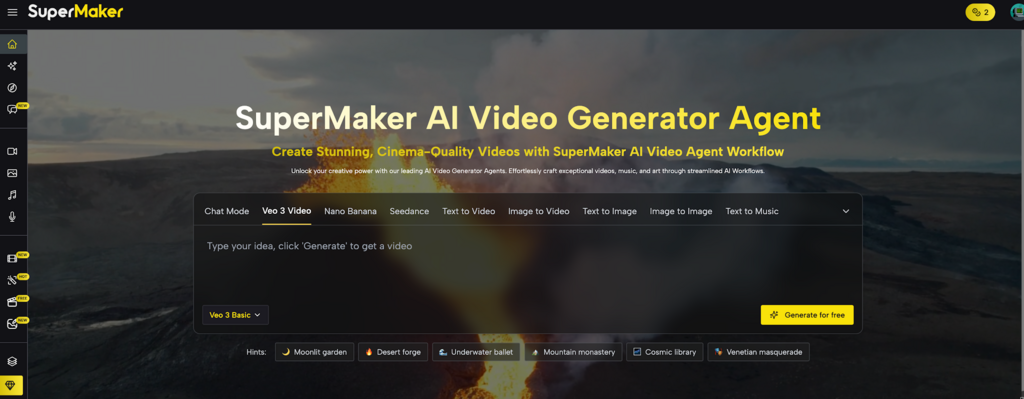
Struggling to capture attention with static images? You know dynamic video is the answer, but the high costs and complex software feel like a barrier.
Drawing to video changes everything. This groundbreaking feature is powered by the comprehensive AI Video Generator Agent, a platform designed to handle all your creative needs.
Simply mark your image with a single stroke to instantly transform it into a dynamic video. It’s powerful video creation, made as simple as drawing. No skills required.
What is SuperMaker’s Draw to Video Generator?
SuperMaker AI is a cutting-edge AI video creation platform designed to empower creators, marketers, and businesses of all sizes. Its core mission is to make stunning, cinema-quality video production accessible to everyone, regardless of technical skill.
Among its suite of powerful features, the Draw to Video Generator stands out as a truly revolutionary tool. This feature allows users to bring static images to life with custom motion. Instead of complex timelines and keyframes, you simply draw a path on your image, and the AI intelligently animates that part of the picture, transforming a simple photo into an eye-catching video in seconds.
Why Choose Draw to Video?
In a crowded market of AI tools, Draw to Video stands out for its focus on intuitive control and professional results.
Zero Learning Curve
If you can draw a line with a mouse, you can create a video. It’s designed for beginners to get expert results instantly.
Unmatched Creative Control
Don’t just animate an entire image. Pinpoint specific elements, define their paths, and direct your “actors” with simple text commands.
Speed and Efficiency
Go from a static image to a high-quality MP4 video in under a minute. Drastically cut down your production time for social media posts, ads, and presentations.
Cost-Effective。
Start creating for free. Draw to Video offers a generous free tier, making powerful video creation accessible to everyone.
Your 4-Step Guide to Draw to Video.
Ready to bring your photos to life? Creating a stunning “living photo” with Draw to Video is easier than you think. It’s an intuitive process that doesn’t require any technical skills—just your imagination.
Step 1: Upload Your Image
Begin by uploading your chosen image or exploring the Assets Library for inspiration. This isn’t just a file; it’s your film set.
Pro Tip: High-contrast images with a clear subject often yield the most stunning results.
Step 2: Draw & Direct Your Scene
- Draw Arrows to orchestrate movement.
- Draw frames around subjects to identify your “actors.”
- Write Simple Commands like “a woman laughs” or “a car drives by” to give them their script.
Step 3: Generate Your Video
The platform automatically generates your video using the advanced Veo 3 model. This adds a rich layer of realism with built-in ambient audio and shockingly accurate lip-sync for your characters.
- Choose your aspect ratio (16:9 for YouTube, 9:16 for Reels) to perfectly frame your story.
Then, click “Generate” and watch the magic unfold.
Step 4: Download & Share
Your scene is complete. Instantly preview your creation, download the high-quality MP4, and release your directorial debut to the world.
Who is This For? Real-World Applications
Draw to Video isn’t just a fun tool; it’s a powerful asset for a wide range of users:
- Social Media Managers: Create captivating Reels and Stories that stop the scroll and boost engagement.
- Marketers: Produce dynamic product showcase videos and eye-catching digital ads without hiring a video production team.
- Artists & Photographers: Bring your digital paintings and photographs to life, adding a new dimension of motion and emotion to your portfolio.
- Small Business Owners: Animate your storefront, showcase your food, or create a welcome video for your website with professional flair.
- Educators & Presenters: Make your learning materials and presentations more engaging by animating diagrams, historical photos, and charts.
Your Turn to Create: Get Started with Draw to Video!
Static content is a thing of the past. In a world demanding engagement, the video is king. SuperMaker AI shatters the barrier between your creative vision and the final product. Stop telling stories and start showing them.
Ready to become a video creator? Try Draw to Video Generator for free today and bring your images to life!







