How to Write Effective Study Summaries for Each Subject
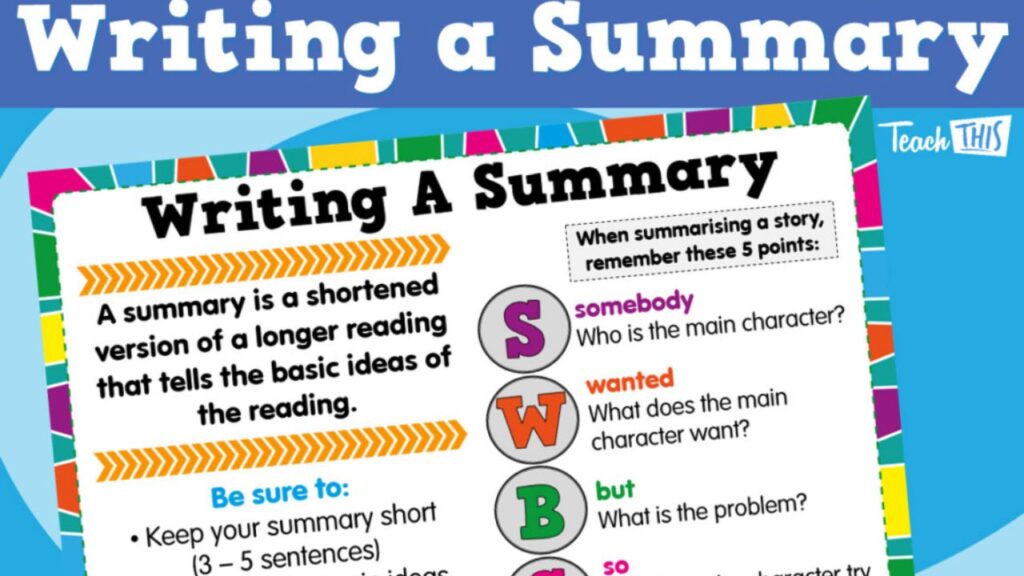
Good study summaries don’t exist to look nice—they exist to help you recall fast under exam conditions. The best ones are short, syllabus-aligned, and built for self-testing. If your summary can’t quickly turn into practice answers, it’s just rereading in disguise.
Below is a practical system you can use for any subject (HSC or VCE), plus the exact structure that makes your pages easier to revise and harder to forget.
Start From the Syllabus, Not From Memory
Before you write anything, open the official outline (syllabus or Study Design) and work from what’s actually assessed.
- List the exact dot points/outcomes for the topic
- Turn each dot point into a one-line prompt (a question or cue)
- Build one summary page per topic (small chunks are easier to revise)
This keeps your summaries exam-focused instead of “everything you remember.”
Use Strict Size + Layout Rules (So You Don’t Overwrite)
A reliable summary page follows simple limits:
- One topic per page
- 6–8 short lines in your own words
- One worked example / case
- One anchor item: a number, formula, or quote
- One linked past-paper task written in the margin (or in the file name)
Short pages get reviewed more often, which matters more than perfection.
Build Self-Testing Into the Page (Split-Page Method)
This layout makes every summary page a mini-quiz.
Left column: prompts, key terms, question stems
Right column: definitions, steps, evidence, mini answers
How to use it:
- Cover the right side
- Answer from the cues
- Check and correct immediately
If you can’t self-test from the page, it’s not a summary—it’s a note.
Add Simple Visuals (Only When They Help)
Visuals are useful when they reduce thinking load—not when they decorate the page.
Good options:
- one diagram with labels
- a 3-row table
- a flowchart with arrows
- a quick comparison grid
Example for HSC Chemistry: a reaction pathway sketch + one worked calculation beside it.
Keep it clean. If the visual takes longer to draw than to revise, simplify it.
Copy Examiner Language on Purpose
Every subject has phrases that consistently lift marks. Put 1–2 marking-criteria phrases on each page so they become automatic in your writing.
Examples:
- “linked to the context”
- “logical chain of reasoning”
- “balanced judgement supported by evidence”
- “units shown and rounding stated”
This trains you to write in the style markers reward.
Shape Summaries by Subject Type
STEM (Maths / Physics / Chem / Bio)
Include:
- key formula + units
- method steps (1–2–3)
- one fully worked example (show rounding)
- one common trap (sign error, assumption, unit slip)
Humanities / Business / Legal
Include:
- 3 evidence bullets + 1 counterpoint
- a sentence frame for 8–12 mark questions
- a judgement line that ties back to the case/context
Languages
Include:
- mini phrase bank for one theme
- one model sentence per grammar point
- oral prompts on the left, ideal responses on the right
Tie Every Summary to an Action
End every page with one task so it leads directly to marks:
- “Write one 12-mark evaluation using this frame.”
- “Do 5 calculation questions (units every line).”
- “Complete 2019 Paper 2, Q4.”
This prevents the trap of “I read my notes so I must know it.”
Upgrade Pages After Practice (The Fastest Way to Improve)
After a quiz, worksheet, or past paper:
- add the key term you missed
- replace vague examples with a precise case/figure
- delete lines that never appear in questions
- highlight the one sentence that upgrades answer quality
Treat summaries as living pages that evolve with feedback.
A 15-Minute Routine You Can Actually Maintain
- Pick one syllabus dot point
- Write 6–8 lines in plain language
- Add one formula/quote/number
- Add one examiner phrase
- Link one past-paper question
- Save → self-test tomorrow
Consistency beats huge study sessions.
Keep Everything in One Simple Structure
Most students fall apart because files are scattered. Use one folder per subject and name files consistently (topic + year + paper link).
If you prefer an integrated setup, SimpleStudy lets HSC and VCE students open a topic, review concise notes, attempt matching quizzes or past questions, and self-mark in one session—so the “summary → testing” loop stays tight.
Quick Quality Checklist
- Does the page match a syllabus dot point?
- Can I self-test by covering the right column?
- Is there one figure/formula/quote?
- Is there one examiner phrase to reuse?
- Is there one linked practice task?