Web Workers API: Running Scripts in Background Threads Without Freezing the UI
Introduction
Modern web pages do far more than display static content. They sort large tables, render charts, compress images, validate complex forms, and run real-time features like search suggestions or map interactions. The problem is that many of these tasks compete for the same main browser thread that handles user interactions and screen updates. When heavy JavaScript runs on the main thread, users notice delays: scrolling stutters, buttons feel unresponsive, and typing lags. The Web Workers API addresses this by allowing JavaScript to run in background threads, so long-running tasks do not block the user interface. If you are learning performance-aware development through a java full stack developer course, understanding Web Workers is a practical way to build faster, smoother applications.
The Core Problem: The Main Thread Gets Overloaded
Browsers typically run the page’s JavaScript on a single main thread. This thread is responsible for:
- Executing JavaScript
- Handling user input events (clicks, taps, typing)
- Updating layout and rendering frames
- Running timers and callbacks
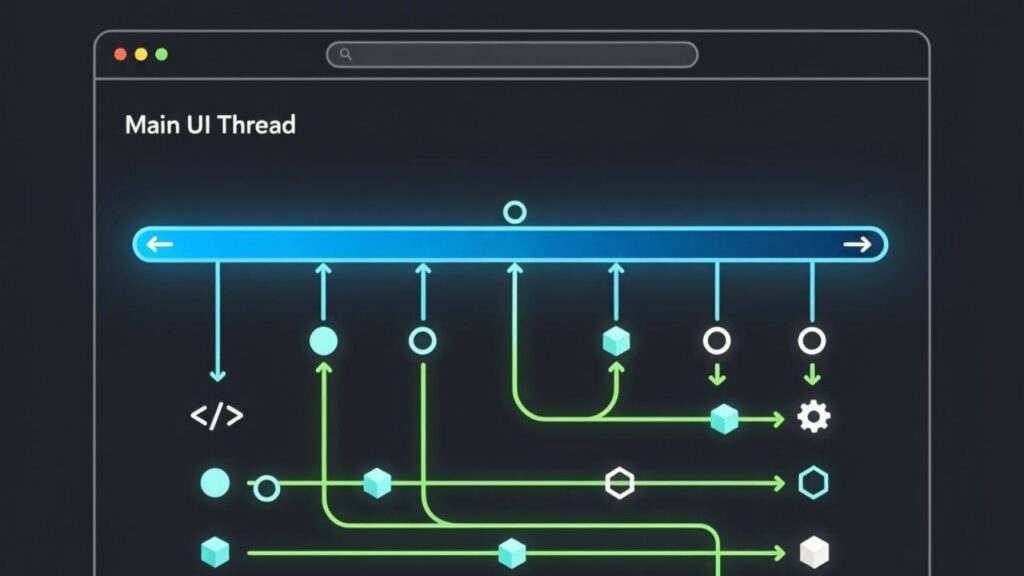
When a heavy task runs—like parsing a huge JSON file, performing advanced calculations, or converting an image—it can “hog” the main thread for hundreds of milliseconds or more. During that time, the browser cannot respond quickly to input or paint new frames, which creates the feeling that the page is frozen.
Web Workers solve this by moving compute-heavy code to a separate thread. The main thread stays focused on UI and interactivity, while the worker thread handles the expensive work.
What Web Workers Are and How They Work
A Web Worker is a background JavaScript context that runs independently from the main thread. You create a worker, send it data, let it process the data, and receive results back. The key idea is that communication happens through message passing.
Important characteristics of Web Workers include:
- No direct access to the DOM: A worker cannot manipulate HTML elements directly. This restriction prevents race conditions and keeps the UI consistent.
- Message-based communication: The main thread and the worker exchange messages using postMessage.
- Data can be transferred or copied: Depending on the type of data, it can be cloned (copied) or transferred (moved without copying) to improve performance.
This model encourages a clean separation: UI logic stays on the main thread, and heavy computation runs in the worker. Many learners in full stack developer classes find this concept useful because it mirrors real-world architecture: the UI layer stays responsive while background services handle complex processing.
Common Use Cases Where Workers Shine
Web Workers are most valuable when tasks are CPU-intensive or involve handling large data. Typical scenarios include:
1) Large data processing
Filtering or aggregating big datasets for dashboards, processing logs, or building reports can be slow on the main thread. A worker can handle the computations and return the final results to render.
2) Real-time search or indexing
If you implement client-side search across thousands of records, indexing and searching can cause noticeable lag. Moving indexing and query logic to a worker keeps typing and scrolling smooth.
3) Media transformations
Image resizing, compression, audio processing, and video-related computations can be moved to workers. This is especially helpful for web apps that offer uploads and previews.
4) Cryptography and security operations
Hashing, encryption, and verification can be expensive. A worker can run these processes in the background so the UI remains responsive.
In each case, the worker does the heavy lifting while the main thread only coordinates tasks and updates the UI when results arrive.
Types of Workers and Practical Considerations
There are a few worker variants, each suited to different needs:
- Dedicated Workers: Used by a single script instance. This is the most common and simplest option.
- Shared Workers: Can be shared across multiple tabs or windows of the same origin (browser support varies).
- Service Workers: Designed for offline caching, background sync, and intercepting network requests. Service Workers are a separate concept from Web Workers, though they share similar “background execution” ideas.
A few practical considerations matter in real projects:
- Overhead exists: Spinning up a worker and passing large messages has a cost. Workers help most when tasks are truly heavy or repeated.
- Use transferable objects when possible: For large binary data (like ArrayBuffer), transferring can avoid expensive copies.
- Design for chunking: Sometimes splitting work into smaller pieces (and yielding) is enough. Workers are best when chunking still does not meet performance needs.
- Error handling and debugging: You need clear logging and error messages because the worker runs in a separate context.
For students in a java full stack developer course, this is a good point to connect frontend performance with backend thinking: you decide what belongs in the UI flow and what should happen “off the critical path.”
Conclusion
The Web Workers API is a straightforward solution to a common web performance issue: long-running JavaScript tasks blocking the user interface. By running compute-heavy work in background threads and communicating through messages, workers keep pages responsive and improve user experience. They are especially useful for large data operations, client-side search, media processing, and cryptographic tasks. If you are attending full stack developer classes, learning Web Workers helps you build applications that feel faster and handle real-world workloads more reliably. Done well, workers are not a shortcut—they are a clear architectural choice for keeping the UI smooth under heavy processing.
For more details visit us:
Name: Full Stack Developer Course In Mumbai
Address: Tulasi Chambers, 601, Lal Bahadur Shastri Marg, near by Three Petrol Pump, opp. to Manas Tower, Panch Pakhdi, Thane West, Mumbai, Thane, Maharashtra 400602
Phone: 095132 62822
Email: fullstackdeveloperclasses@gmail.com