Why Localization Matters When Choosing a Global Messaging App
Messaging apps are now part of everyday infrastructure for work, education, travel, communities, and personal communication. Choosing one is no longer just a matter of comparing features. For people who communicate across languages or move between regions, the quality of localization can determine whether an app feels intuitive, trustworthy, and easy to manage.
Good localization goes beyond translating menu labels. It affects how users understand privacy controls, interpret security warnings, find setup information, search for help, and move between mobile, desktop, and web versions. A platform may be available worldwide, yet the practical experience can still vary considerably depending on language, terminology, and device environment.
For that reason, language support should be treated as part of usability and digital safety rather than as a cosmetic extra.
Global Apps Can Create Very Different Local Experiences
The same messaging service can feel straightforward to one user and confusing to another. An English-speaking user may search for the product by its official name, install the appropriate client, and follow documentation written in familiar terminology. A Chinese-speaking user may encounter translated labels, community-created instructions, regional nicknames, and search phrases that do not match the product’s English branding word for word.
Those differences become important when users need to complete practical tasks such as:
- installing the appropriate client for a phone or computer;
- changing the interface language;
- reviewing privacy and visibility controls;
- checking active sessions and login alerts;
- finding group, channel, or notification settings;
- managing automatic media downloads; and
- understanding security prompts before acting on them.
Even when the underlying features are identical, inconsistent terminology can increase the chance of configuration mistakes. Clear localization reduces that friction by making the software and its documentation easier to understand in context.
Regional Names Can Change How People Search
Search behavior is one of the clearest examples of localization in practice. Users do not always look for global software with the exact English product name. Local communities may adopt translated names, abbreviations, phonetic versions, or informal nicknames, and those terms can become common ways to find tutorials and setup information.
Telegram illustrates this pattern well. In Chinese-speaking communities, some users search for Telegram directly, while others use terms such as “电报” or “纸飞机.” These expressions can lead to different guides, discussions, and troubleshooting resources even though the underlying platform is the same.
A new user searching in Chinese may therefore come across an 电报使用指南 while researching installation, account setup, messaging features, or common configuration options. In that context, the value of the guide is not that it replaces the platform’s official resources, but that it helps explain terminology and typical user tasks in a familiar language.
Recognizing regional naming patterns also makes it easier to compare information from multiple sources without assuming that every unfamiliar term represents a different product or version.
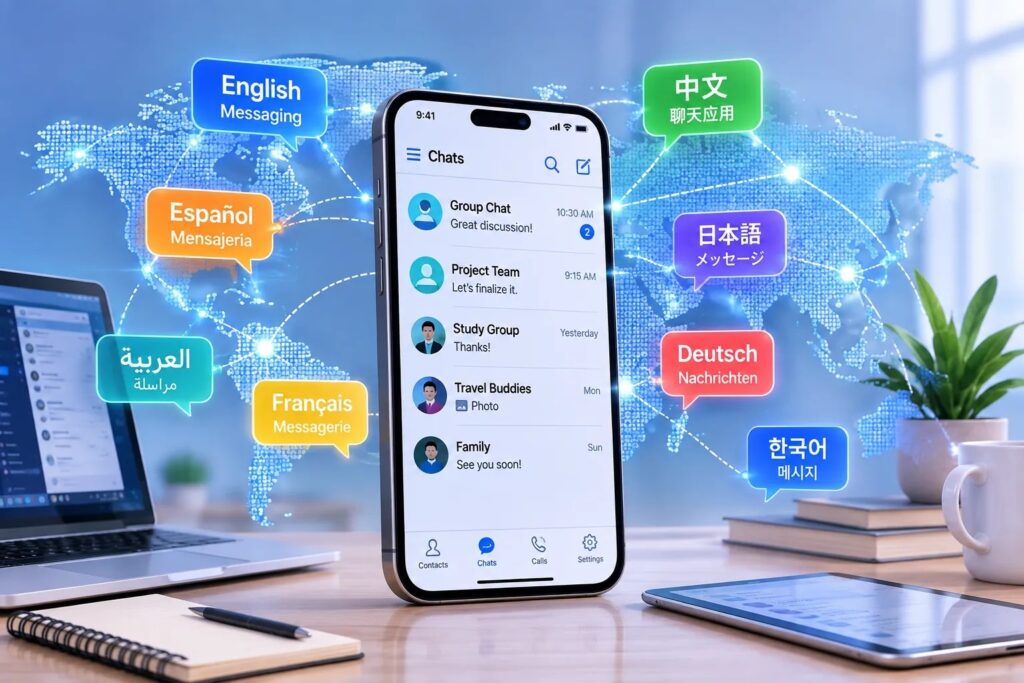
Figure 1. Language and regional terminology can shape how users search for and navigate messaging platforms.
Interface Language Can Affect Setup and Safety
Interface language is easy to dismiss as a visual preference, but communication apps contain settings that can affect privacy, account security, storage, and daily usability. Users need to understand more than button labels; they need to know what each control actually changes.
Common examples include who can see a phone number, who can add an account to groups, which devices are signed in, whether two-step verification is enabled, and whether photos or videos download automatically. When these options appear in an unfamiliar language, users are more likely to rely on defaults or misinterpret a setting.
For Chinese-speaking users, a Telegram 中文版使用指南 can provide additional context for interface language, account settings, privacy controls, and commonly used terminology. It is best understood as a user guide for navigating localized settings rather than as evidence of a separate official Telegram edition.
The practical goal of localization is therefore not simply to translate the screen. It is to help people understand what the software is doing and make deliberate choices about how their account is configured.
Cross-Platform Consistency Matters
Messaging services are rarely confined to a single device. A conversation may begin on a phone, continue on a laptop, and later be checked in a browser. This creates another localization challenge because labels, menu locations, and available controls can vary between Android, iOS, Windows, macOS, and web clients.
When evaluating a platform, users should check whether the experience remains reasonably consistent across the devices they actually use. Important questions include:
- Are conversations and files synchronized reliably?
- Can active sessions be reviewed from more than one device?
- Are language options available across the main clients?
- Do privacy and notification settings use familiar terminology?
- Can users move between phone, desktop, and web without relearning basic workflows?
A service that is technically available everywhere can still be frustrating if important settings are difficult to find or described differently on each platform.
Localization, Privacy, and Security Are Connected
Security features only help when users understand them. Messaging platforms commonly provide tools such as two-step verification, active-session management, login alerts, phone-number visibility controls, and restrictions on who can add an account to groups. If the wording is unclear, users may overlook settings that matter.
For example, a person may leave a phone number visible to a wider audience than intended, ignore an unfamiliar login alert, or forget to review sessions on a shared computer. Clear language makes it easier to recognize what a security option controls and when action is required.
This principle also applies to third-party tutorials. A useful guide can explain where a setting is located or what a term means, but users should still verify sensitive actions through the platform itself. Passwords, login codes, recovery credentials, and other account secrets should never be entered into unknown websites simply because a tutorial asks for them.
Translation Helps, but Context Still Matters
Automatic translation has improved significantly, but technical language can still be ambiguous. Small wording differences matter when instructions involve account recovery, login sessions, visibility settings, verification codes, or software installation.
Community terminology adds another layer. Words such as channel, group, bot, username, administrator, cloud storage, and permissions may be translated differently by different sources. Local nicknames can also spread faster than official documentation.
For that reason, the best localized guidance explains the function behind the label. Knowing the difference between a private chat, a group, and a broadcast channel is more useful than simply memorizing three translated terms. Likewise, understanding why two-step verification matters is more valuable than knowing only where the option appears.
When a translated instruction is unclear, users are better served by comparing reliable sources and checking the platform’s own settings than by following a single page uncritically.
File, Media, and Notification Settings Deserve Attention
Messaging apps are also file-distribution and notification systems. Groups and channels can deliver photos, videos, voice messages, documents, and large files throughout the day. If automatic downloads and alerts are not configured carefully, they can consume storage, mobile data, and attention surprisingly quickly.
Users should review whether large media downloads require Wi-Fi, how long cached files are retained, whether content from unknown contacts downloads automatically, and how much storage the app is using. Travelers and people with limited data plans have an especially strong reason to check these options before relying on a messaging app away from home.
Notification controls deserve the same attention. Being able to mute low-priority groups, limit alerts, and preserve important mentions can make the difference between a useful communication tool and a constant source of distraction.
What to Check Before Choosing a Messaging App
Localization should be evaluated alongside the broader features that determine whether a messaging platform fits a user’s needs. A practical review can focus on the following factors:
| Factor | What to Check |
| Language | Is the interface and support material available in a language you understand? |
| Devices | Does the service work well across the phone, computer, and browser you use? |
| Privacy | Can you easily understand and control visibility, groups, and profile information? |
| Security | Are two-step verification, session management, and login alerts available and understandable? |
| Synchronization | Do conversations and files remain accessible across your devices? |
| Communities | Do groups, channels, moderation tools, and permissions fit your use case? |
| Files | Are file limits, storage controls, and automatic downloads practical for you? |
| Notifications | Can alerts be customized without hiding messages that genuinely matter? |
| Documentation | Can you find clear explanations while still verifying sensitive actions through official settings? |
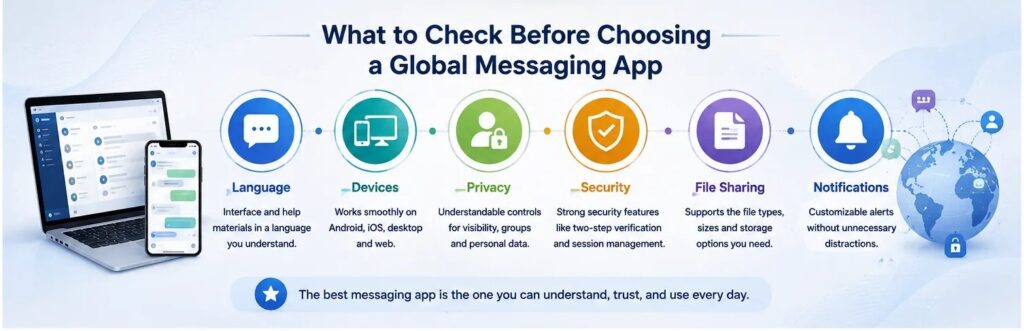
Figure 2. A practical checklist for evaluating a global messaging app.
No single platform will be ideal for everyone. A student, traveler, remote worker, gamer, community manager, and business owner may each prioritize different capabilities. The useful question is whether the app can be understood and configured confidently for the user’s actual situation.
Final Thoughts
Localization is an important part of software usability, especially for messaging platforms used across countries, languages, and devices. Clear terminology helps users understand privacy controls, recognize security prompts, manage storage, move between clients, and find relevant documentation without unnecessary confusion.
When comparing global messaging apps, it makes sense to look beyond the feature list. Device compatibility, interface language, security settings, regional terminology, notification controls, and the quality of available guidance all shape the real user experience.
A messaging platform becomes genuinely global not simply when people everywhere can install it, but when those users can understand how it works, configure it responsibly, and use it with confidence.