Choosing a Router for Outdoor and Exposed Installations
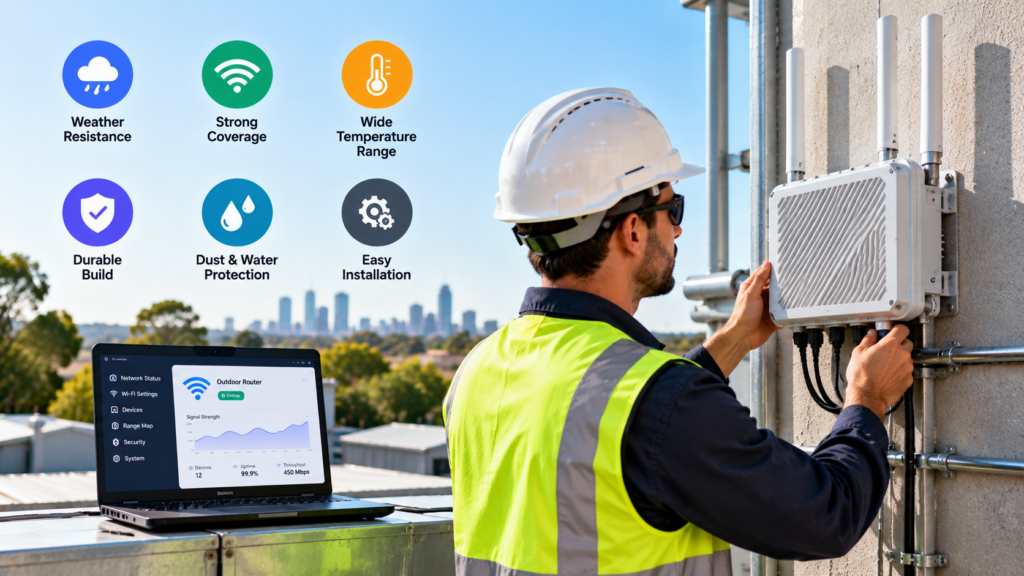
A router that runs happily on an office shelf can fail within months on a pole, a pump shed or a site fence. Sun, rain, dust and wide temperature swings attack electronics in ways an indoor room never does. That is why connectivity at farms, construction sites, utility assets and transport depots depends on hardware chosen for its surroundings, not just its network speed. Many industrial 5G routers are designed with this split in mind, with ruggedised outdoor models offered alongside units meant for cabinets and plant rooms. The sections below cover what to check before you mount anything outside.
Start With the IP Rating
The Ingress Protection (IP) rating, defined in the international standard IEC 60529, tells you how well a housing keeps out solids and water. The first digit covers solids on a scale up to 6, which means dust-tight. The second digit covers water: 5 means protection against low-pressure water jets, 6 against powerful jets, and 7 against temporary immersion up to one metre.
For a router exposed to driving rain and dust, IP65 or higher is a sensible baseline. Where water can pool, such as a low mounting point or a pit, IP67 gives more margin.
Two caveats matter. First, the rating only holds when every port is sealed as the manufacturer intended, with SIM covers closed, unused sockets capped and cable glands correctly fitted. Second, IP testing does not measure UV resistance or how seals age over several years, so a high number is a starting point rather than a guarantee.
Plan for Heat, Cold and Sunlight
Every router spec sheet lists an operating temperature range. Compare it with the real extremes at your site, not the average. Industrial units often tolerate far wider ranges than consumer gear, but the figures vary between models.
Air temperature also understates the problem. A housing in direct sun can run much hotter inside than the surrounding air, especially if it is dark coloured or sealed. Cellular modems produce their own heat under heavy load, and some devices reduce performance or restart when they get too hot. A sun shield, a light-coloured housing or mounting on the side of a structure that avoids afternoon sun can make a noticeable difference.
Sunlight causes slower damage too. Ultraviolet exposure makes ordinary plastics and cable jackets brittle over time, so look for UV-stabilised materials on anything that will sit in the open.
Why an Indoor Router in a Box Often Fails
Putting a standard router inside a weatherproof enclosure is a common shortcut, and it creates several problems at once:
- Heat build-up. A sealed box with no airflow traps both solar heat and the router’s own heat.
- Condensation. As the box warms and cools each day, moist air inside condenses on the circuit board. A breather vent helps, but many improvised setups leave it out.
- Broken seals. Drilling holes for cables often undermines the enclosure’s rating unless proper glands are used.
- Blocked signal. Metal enclosures stop radio signals, so internal antennas lose most of their reach. External antennas become essential.
- Unsuitable power. Plug-pack power supplies are rarely built for damp or hot conditions.
An enclosure can still work well when it is designed for the job: an industrial router rated for the temperature range, a properly vented cabinet, correct glands and external antennas. The difference is planning, not the box itself.
Mounting, Cabling and Power
Height and line of sight to the nearest cell tower usually improve signal, but a higher mount also catches more wind. Use brackets rated for the load and check them after the first storm season.
Cabling is where water most often gets in. Point connectors downward where possible, and leave a drip loop so water runs off the cable before it reaches the housing. Wrapping outdoor RF connectors in self-amalgamating tape helps keep moisture out. Use outdoor-rated, UV-resistant Ethernet cable, and remember that standard Ethernet runs are limited to 100 metres.
Power over Ethernet (PoE) can simplify things by sending power and data down one cable, which avoids a separate mains run to the mounting point. On exposed masts and poles, surge protection and proper earthing are worth planning from the start. Any mains wiring should be done by a licensed electrician under local rules.
Questions to Answer Before You Buy
Working through a short list before ordering hardware prevents most outdoor failures:
- Will the unit face direct sun, rain, dust or all three?
- What are the lowest and highest temperatures recorded at the site?
- Will it be fully exposed or partly sheltered under an eave or inside a cabinet?
- Where will the antennas go, and how long are the cable runs?
- How will it be powered, and is PoE an option?
- How hard is the site to reach for a reboot or SIM swap?
- Is theft or tampering a risk?
The answer to question six often settles the rest. When a failed router means a long drive or a day of lost data, the price gap between an indoor unit in a box and purpose-built outdoor hardware tends to look small. Features such as remote management and dual SIM failover also earn their place at sites like these, because they let you fix many problems without travelling at all.