5 Display Issues You Can Avoid by Switching to OLED Monitors
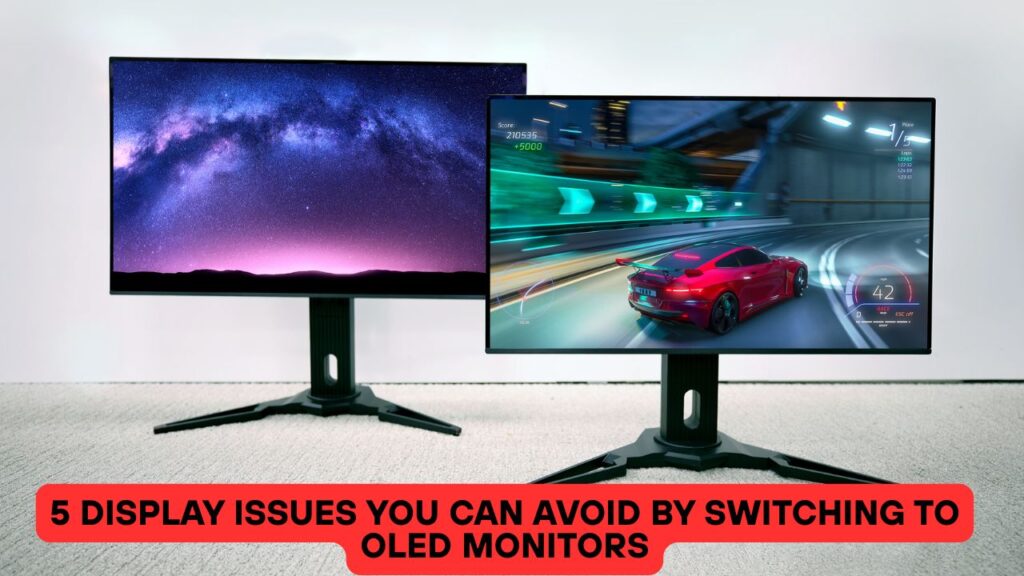
Modern computing users are looking for displays that not only provide colors and accuracy. They demand displays that reduce eye strain and flickers, providing an ultimate computing experience. Among many display technologies, OLED (Organic Light Emitting Diode) is emerging as one of the most reliable displays used in many PC displays and TVs.
Why?
Unlike traditional LCDs that completely depend on backlighting, OLED screens can generate their own light at the pixel level. This design offers utmost picture quality by improving contrast and allowing true blacks and vibrant colors on the screen. This is especially important for gamers who want depth and originality in colors. In fact, a survey mentions that 22% of the gaming monitors now come with OLED panels.
Making the switch to an OLED monitor is not only about colors; it’s more about the improvements and fixes to long-term display issues that halt your productivity. So, let’s talk to understand why switching to an OLED display is a future-ready shift!
1: Say Goodbye To BackLight Bleeding and Washed-Out Colors
A longstanding problem with traditional LCD screens is backlight bleeding. This is a common error where the screen appears to go dark as light starts to disappear around the corners and edges of the screen. An OLED screen, whether it’s a 4K OLED monitor or standard OLED screen, emits its own light, which helps in illuminating pixels without the need of any backlight.
OLED monitors work differently. Each pixel lights up by itself. When a scene is dark, OLED pixels turn off completely. That gives deep black levels. Also, colors become more accurate and lively. You get perfect contrast in every scene.
2: No More Motion Blur in Fast Scenes
Motion blur is a big problem in traditional displays. When fast objects move, the screen lags. It becomes hard to follow the action. This issue ruins fast-paced games, sports and even online browsing.
- OLED monitors fix this. They respond faster than LCD screens. Pixels shift instantly. That reduces motion blur. Fast scenes become sharp.
- Whether you scroll through a document or watch a car race, the view stays clear. Gamers enjoy this the most.
- Every move counts, and OLED makes sure it shows smoothly. With less lag, you react faster and play better. Professionals who edit videos also benefit. Each frame becomes visible and crisp.
Do you know that the worldwide OLED market size is expected to surpass $19.5 billion by the end of 2032, laying a strong foundation for more usage of OLED display panels in monitors.
3: Stop Struggling with Viewing Angles
Not everyone looks at the screen from the center. Some people view from the side or lean back. On a regular monitor, that creates problems. Colors shift and brightness fades when seen from angles. That affects teamwork, screen sharing, or even watching videos from a couch.
- OLED solves this issue smartly. It provides wide viewing angles. The picture stays stable even when seen from the side. That makes OLED good for family use or office meetings. Designers and editors love this feature too.
- They get the same color accuracy from all positions. No need to adjust your head again and again. Every viewer gets the best quality all the time.
4: Eye Strain and Flickering Screens
Many people get headaches or eye strain after long hours. That happens due to screen flicker and uneven lighting. Some displays use pulse width modulation or low refresh rates. These cause stress to your eyes. You may not notice it right away but it builds over time.
- OLED monitors reduce flicker. They offer even light across the screen. Each pixel works on its own, so no need for a backlight. That means soft visuals and no light leakage. Eyes stay relaxed even after long use.
- OLED also gives better brightness control. You can adjust the screen to your comfort. Whether you study, work, or binge-watch, your eyes stay safe.
Tip: Always go by the rule. If you keep on looking at the screen for 20 minutes. It’s better to look at something else 20 feet away for atleast 20 seconds.
5:More Delays With HDR Performance
High Dynamic Range or HDR makes content look real. It gives deeper blacks and brighter whites. But on most regular monitors, HDR falls flat. They cannot handle full brightness or shadow detail. That leads to a fake-looking image.
- OLED excels in HDR. It shows true brightness and shadow depth. Every detail stands out. Whether it’s sunlight in a scene or tiny stars in a dark sky, OLED shows them all. Movies feel cinematic.
- Games look realistic. Creative tools display every detail. OLED handles light and dark perfectly. It creates a full range of color and brightness. You see what the creator intended. For true HDR, OLED is the best choice.
Conclusion
An OLED display is not just a regular display technology. It is an innovation that is redefining the way we see images on the screen. Whether it’s a 4k OLED monitor or just the normal OLED screen, it promises you will enjoy the utmost quality of visuals on the screen. From backlight bleeding to eye-strain, these fixes guarantee that your switch to OLED monitors is worth every penny.







