Level Up Your Gaming Den: Essential Home Setup Tips for 2026
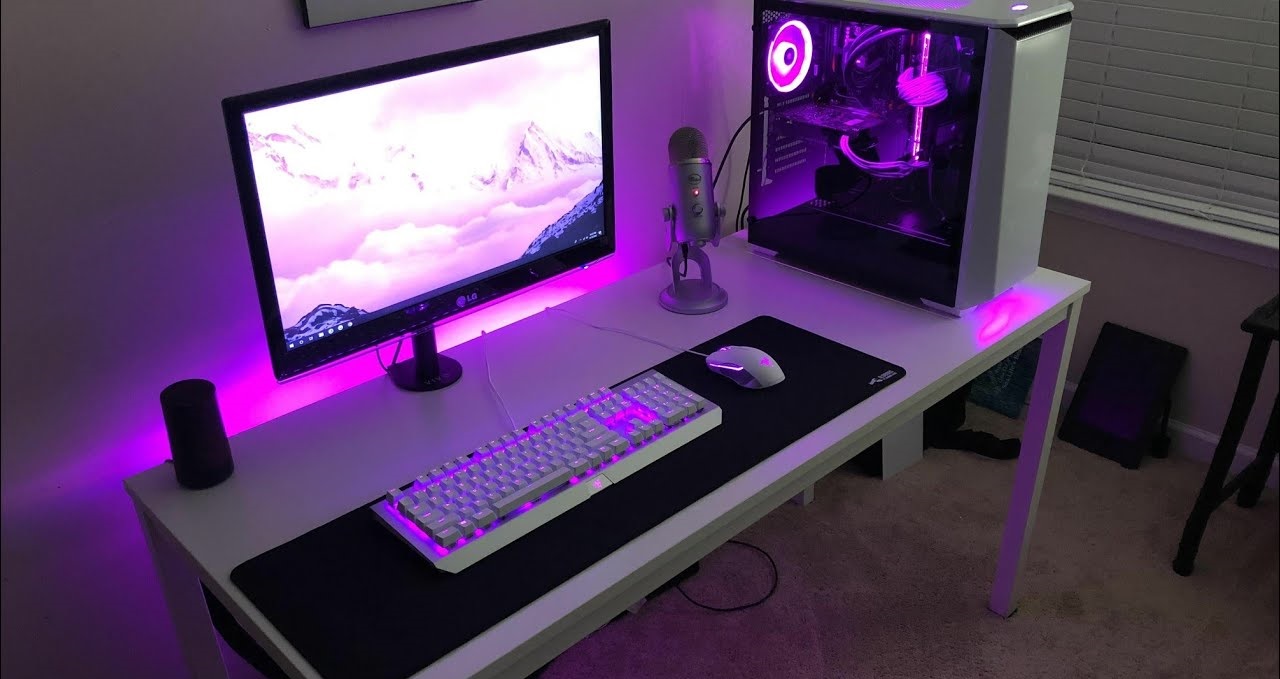
A great gaming room isn’t just about raw specs—it’s about comfort, flow, and small upgrades that make every session feel smoother. In 2026, more people are gaming across multiple devices (PC + console + handheld + cloud), and home setups are evolving to match: cleaner desks, better ergonomics, smarter lighting, and more immersive controls.
Use the tips below to build a gaming den that looks sharp, feels comfortable, and supports both casual play and competitive sessions.
1) Start With the Foundation: Your Core Setup
Before buying anything new, ask yourself: is your gaming computer setup built around how you actually play?
Quick decision checklist:
- PC-first player: prioritize monitor quality, keyboard/mouse, airflow, and cable routing.
- Console-first player: prioritize TV/monitor placement, couch-chair balance, and controller charging.
- Hybrid player (most common now): aim for a setup that switches fast—input toggles, clean desk space, and easy audio swapping.
2026 tip: If you’re switching between devices often, consider a simple USB switch or hub and a monitor with multiple HDMI/DP inputs so you’re not constantly unplugging things.
For certain genres, utilizing a head tracking device can support more natural movement control by translating subtle head or body motions into in-game actions, which can enhance immersion without changing traditional controls.
2) Build Real Comfort With Ergonomics (Not Just a “Gaming Chair”)
Long sessions punish bad posture. Your goal is a neutral, relaxed position that stays comfortable for hours.
Ergonomic essentials:
- Monitor top edge near eye level
- Elbows around 90 degrees on keyboard/mouse
- Feet flat (or use a footrest)
- Chair lumbar support aligned with your lower back
Small upgrade that matters: a soft desk edge pad or wrist support can reduce forearm pressure during long mouse/keyboard sessions.
3) Fix Your Lighting for Less Eye Fatigue
Lighting is one of the most underrated upgrades.
Best lighting setup:
- Soft room lighting + light behind your monitor (bias lighting)
- Avoid bright overhead glare
- Keep the room evenly lit so your eyes aren’t adjusting nonstop between screen and darkness
Bonus: If you stream or take calls, add a small diffused key light so your face looks clear without lighting the entire room.
4) Treat Audio as Part of Performance
Good sound isn’t just “nice”—it affects awareness, reaction time, and immersion.
What works best in 2026 setups:
- Closed-back headset for focus and shared spaces
- Open-back headset for comfort and a wider soundstage (if your room is quiet)
- Speakers for casual gaming, couch co-op, or when you want the room to feel alive
Pro move: set up quick audio switching (headset vs speakers) so you don’t waste time changing settings every session.
5) Cable Management = Less Stress, More Space
A messy setup feels chaotic. A clean setup feels premium—even if the gear is mid-range.
Easy wins:
- Velcro ties (better than zip ties because you can adjust)
- Cable tray under the desk
- Label charging cables (controller, headset, handheld)
This also makes cleaning faster and helps airflow around your PC or console.
6) Personalize Without Cluttering the Room
A gaming den should feel like your space—without turning into a storage shelf.
If you want a modern look, focus on a few upgrades that add atmosphere:
- 1–2 wall pieces (poster/art)
- A clean display shelf for collectibles
- A coordinated color theme
And yes—Customize your gaming setup with RGB lighting if you enjoy it, but keep it purposeful: pick a consistent color palette instead of running every effect at once.
7) Upgrade Peripherals Where It Actually Matters
You don’t need the most expensive gear—you need the right gear for your hands and your games.
High-impact upgrades:
- Mouse shape that fits your grip (comfort beats hype)
- Mechanical keyboard with a switch type you genuinely like
- Large mousepad for smoother aim and less wrist strain
- Controller with comfortable triggers (especially for racing/fighters)
2026 trend: modular controllers and hot-swappable keyboard switches are increasingly popular because they let you tune comfort without replacing everything.
8) Add Immersion Carefully (Without Making It Complicated)
Immersion isn’t always VR—it can be subtle and still feel incredible.
One option: utilizing a head tracking device can add natural camera movement in supported games or sims, making gameplay feel more “alive” without replacing your regular controls.
Tip: Keep immersive add-ons optional. The best setups let you jump in fast, not troubleshoot for 10 minutes.
9) Control Heat and Airflow (Especially for High-End PCs)
Modern hardware runs hot under load. Heat affects performance and comfort.
Keep it cool:
- Leave space behind your PC/console
- Clean dust filters monthly
- Use a quiet fan for room airflow
- Avoid placing a PC inside a closed cabinet
If your room gets warm easily, even a small desk fan aimed past your setup can make long sessions feel way better.
10) Keep It Clean, Consistent, and Ready to Play
The best gaming dens are the ones that are always ready—no friction.
Simple routine:
- Weekly: wipe desk + mousepad area
- Monthly: dust vents and filters
- Quarterly: cable check + re-tidy problem spots
Clean space = fewer distractions + longer equipment life.
Final Thoughts
A high-performance gaming den in 2026 is about balance: comfort, clean layout, good lighting, solid audio, and smart upgrades that support how you play. When your space feels effortless, gaming becomes more immersive—and a lot more fun.
If you want, tell me whether you game mostly on PC, console, or both—and your room size—and I’ll suggest a simple layout (desk position, lighting placement, and cable plan) that fits your space.







