Does Using Multiple Ports Slow Down Charging Speed?
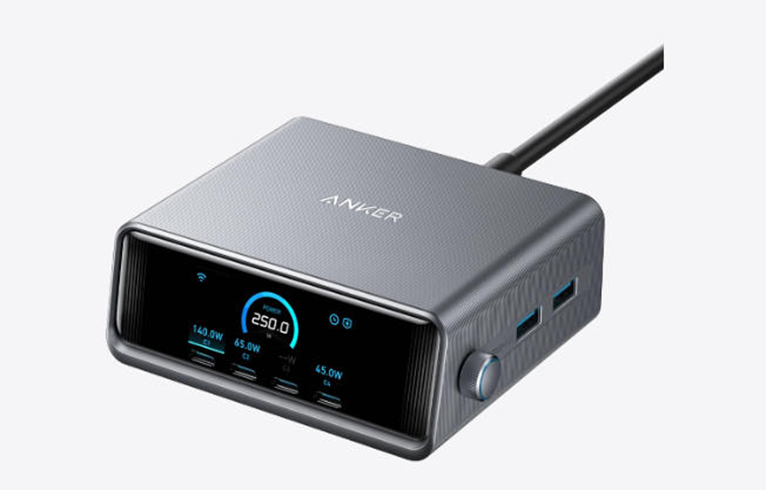
Electronic devices have become essential companions in our daily routines. Many of us rely on multi-port chargers to power our smartphones, tablets, and laptops simultaneously. However, you might have noticed that sometimes your devices don’t charge as quickly when multiple gadgets are connected. This common experience leads to an important question about how these convenient hubs manage power distribution. In this article, we’ll explore the intricacies of multi-port charging and provide practical strategies to maintain optimal charging speeds.
How Multi-Port Chargers Distribute Power
Understanding Total Power Capacity
Every multi-port charger comes with a specific total power capacity, which represents the maximum amount of power it can deliver across all its ports combined. This total capacity is measured in watts and serves as the pool from which all connected devices draw their energy. Think of it like a water pipe that supplies multiple faucets – the water pressure might drop if too many faucets are opened simultaneously. Similarly, when you plug multiple devices into your charger, they must share the available power according to their needs and capabilities. Modern chargers are designed with sophisticated circuitry that communicates with each connected device to determine its optimal charging requirements.
Dynamic Power Allocation Between Ports
Advanced multi-port chargers employ intelligent power management systems that dynamically distribute available power. This smart allocation system constantly monitors which devices are connected and adjusts power delivery accordingly. Some sophisticated chargers even prioritize power delivery to devices that support faster charging technologies. This dynamic system allows for flexible charging scenarios where power distribution shifts automatically when devices are added or removed, ensuring greater efficiency, improved safety, and overall convenience for users in various environments such as home, office, or during frequent travel.
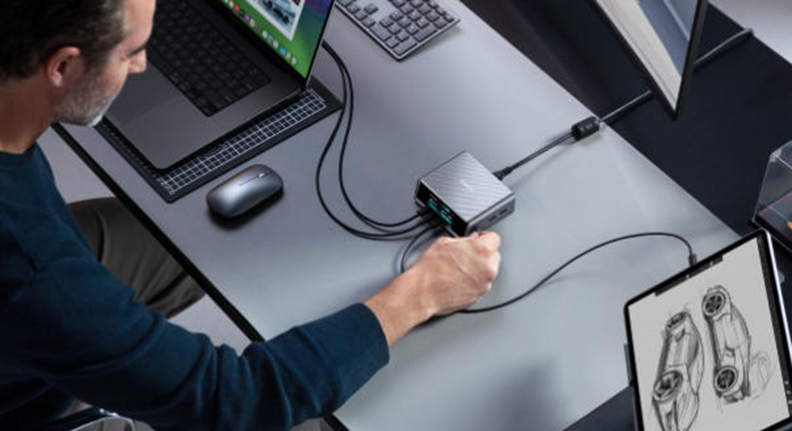
When Charging Speed Decreases
Exceeding Total Power Limit
The most common scenario where charging speeds decrease occurs when combined power requirements exceed the charger’s total capacity. This situation forces the charger to reduce power delivery to some or all connected devices. The charger’s intelligent system will typically distribute the available power proportionally among all devices. This safety feature prevents overheating and ensures stable operation while charging multiple devices.
Charging High-Demand Devices Simultaneously
Another common scenario involves connecting multiple high-power devices simultaneously. Modern laptops often require significant power, while smartphones and tablets also have substantial charging needs. When these power-hungry devices are connected together, they compete for the available power resources. Some chargers may prioritize certain ports or devices based on their charging capabilities and requirements. Understanding your devices’ power needs helps anticipate when charging speeds might be affected.
How to Maintain Fast Charging Speeds
Prioritize Power-Hungry Devices First
A simple strategy to maintain faster charging speeds involves connecting your most power-hungry devices first. This approach allows high-demand devices to establish their power requirements before adding other gadgets. For example, if you need to charge both a laptop and a smartphone, connect the laptop first to ensure it receives adequate power. This method works particularly well with smart chargers that remember device preferences and power requirements, optimizing the overall charging process while minimizing delays, improving energy efficiency, and helping extend the battery lifespan of sensitive electronic devices over time.
Use Appropriate Ports for Each Device
Most modern multi-port chargers feature different types of ports with varying power capabilities. USB-C ports typically deliver higher power output compared to traditional USB-A ports. Check your charger’s specifications to identify which ports offer the highest power delivery. Matching your devices to the appropriate ports based on their power requirements can significantly improve charging efficiency. This simple practice ensures each device gets the optimal charging speed possible, while also reducing unnecessary strain on the charger, enhancing long-term durability, and promoting safer, more reliable performance across all connected devices.
Smart Charging Technology Features
Modern multi-port chargers incorporate advanced technologies that optimize charging performance across multiple devices. These intelligent systems continuously communicate with connected devices to negotiate optimal power delivery levels. Many chargers feature thermal management systems that monitor temperature and adjust power output accordingly. Some models include automatic detection systems that identify device types and apply appropriate charging protocols. These features work together to ensure safe and efficient charging while maximizing performance across all connected devices.
Conclusion
Understanding how multi-port chargers manage power distribution helps optimize your charging experience. By recognizing your charger and implementing smart charging strategies, you can maintain efficient charging speeds for all your devices. Remember that choosing a quality usb charger from a reputable brand ensures better power management, safer operation, and more consistent performance across different scenarios. With these insights, you can make the most of your multi-port charger while keeping all your devices powered efficiently, reliably, and safely every single day without unnecessary interruptions.






